14.1.5 Check if sensor is ready for recording
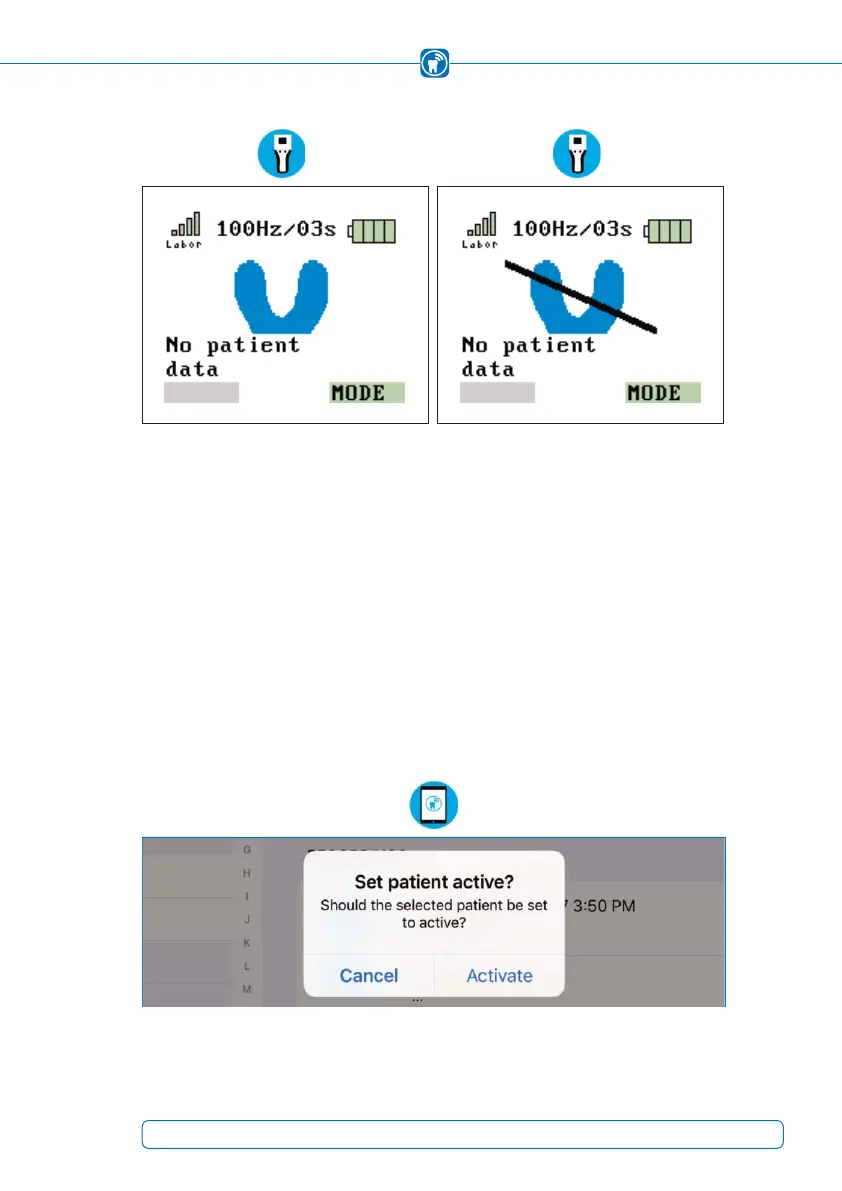
Figure 29: Sensor inserted properly Figure 30: Sensor inserted improperly
The graphic on the left (Figure 29) shows that the OccluSense
®
-iPad-App is connected
to the handheld and the sensor is inserted properly.
If the sensor is defective or inserted improperly, the graphic on the right appears on the
display
(Figure 30). The sensor or its position must be checked (chapter 14.1.2).
14.2 Set a patient active
In order to start a recording, the patient must be activated first. When you select a
patient from the patient list, a message field is being displayed in order to activate this
patient (Figure 31).
Figure 31: Set patient active
43



 To Next Page