MANAGE RECORDINGS
16 Manage and export recordings
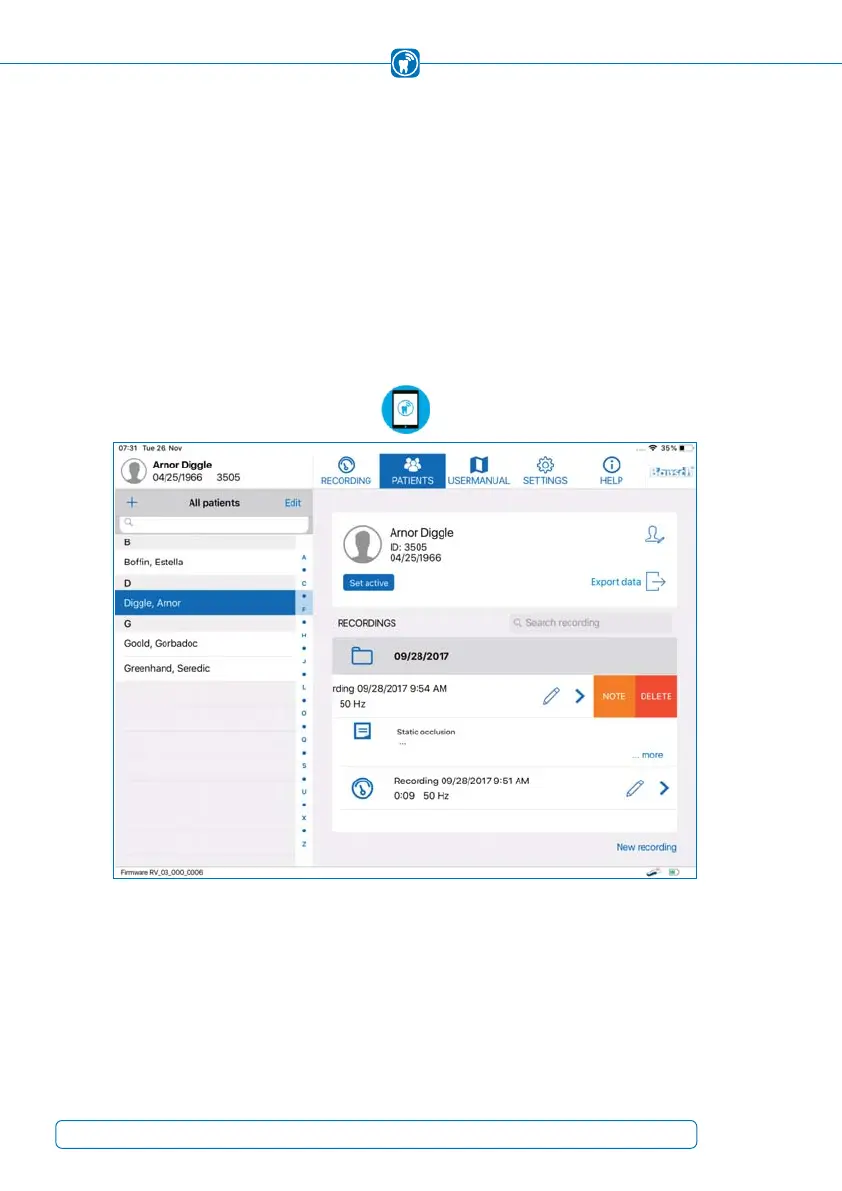
You can manage your recordings from within the patient’s folder (Figure 49). When a pa-
tient has been selected from the patients list, all recordings of this specific patient ap-
pear. Recordings will be collected in folders sorted by date. Renamed recordings (chapter
15.7) can easily be found by using the search field.
The note of a recording, if existent, is displayed below the recording entry and adapted
to the first two lines if the text is too long. To see the note in full length, tap on the
“
… more” button and the full text will appear.
Figure 49: Recordings of a patient
If you want to delete a recording, swipe to the left to open the submenu “NOTE/DELETE”
and tap on “DELETE”. The menu item “NOTE” enables editing of the note (chapter 15.7).
To start a new recording for the selected patient, tap the “
New Recording” button at the
bottom right corner of the screen. The patient will be set active and the view will be
switched to “RECORDING”.
62



 To Next Page