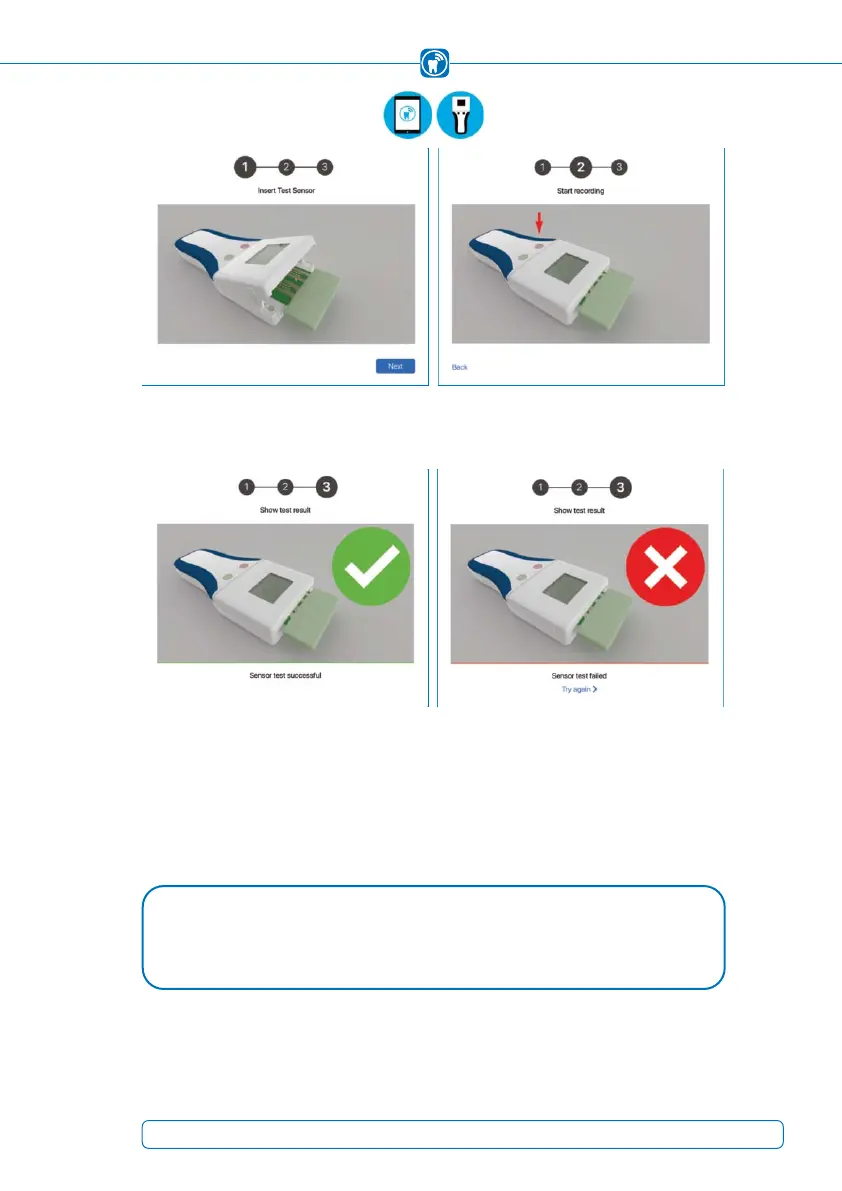
Figure 20: First step of the sensor test, Figure 21: Second step, press the left (pink)
insert the test sensor into the handheld button to start
Figure 22: The sensor test was successful Figure 23: The sensor test failed
4. The result of the function test is displayed in the app. If this is repeatedly negative,
the device must not be used. In this case, see chapter 19.5 "Troubleshooting".
5. Remove the test sensor from the handheld and place it in the storage box.
NOTE
If the sensor test fails permanently (Figure 23), please visit our support website: •
help.occlusense.com
35



 To Next Page