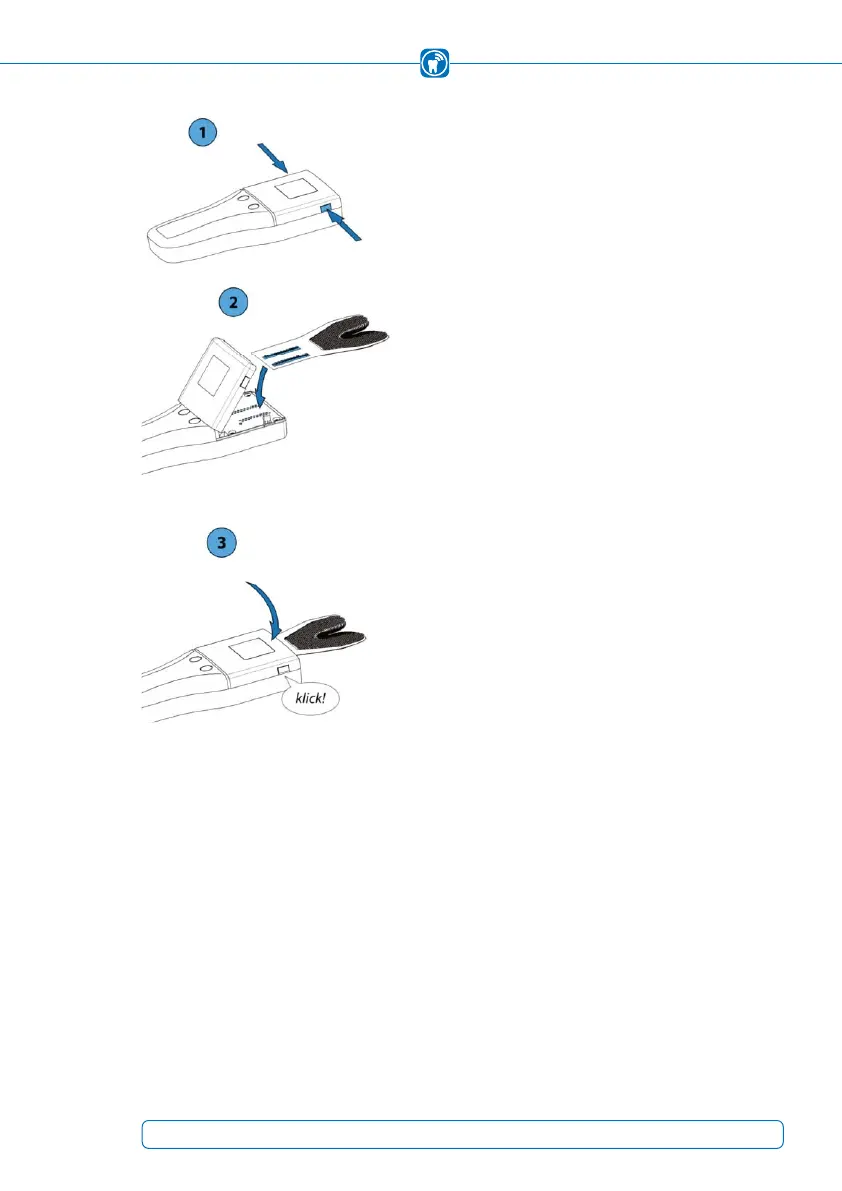
To insert the sensor:
1) Unlock the sensor lid of the handhed by simul-
taneously pressing the side release buttons. Open
the sensor lid.
2) Remove the sensor from its packaging and
insert it into the contact area.
The insertion direction and position are deter-
mined by the marking on the sensor as well as by
positioning pins, over which the sensor must be
inserted.
3) Close: To do this, press the sensor lid
downwards until the snap-in lugs of the release
buttons snap in on both sides.
41



 To Next Page