071960491 COLLEAGUE CXE VOLUMETRIC INFUSION PUMP OPERATOR’S MANUAL 4-19
Operating Instructions Using the Optional Prime Function
1. Load the administration set into the desired pump channel as
described in “Loading the Administration Set,” 4-16.
2. From the Main Display, access the Programming screen:
3. From the Programming screen, press the Change Mode soft key.
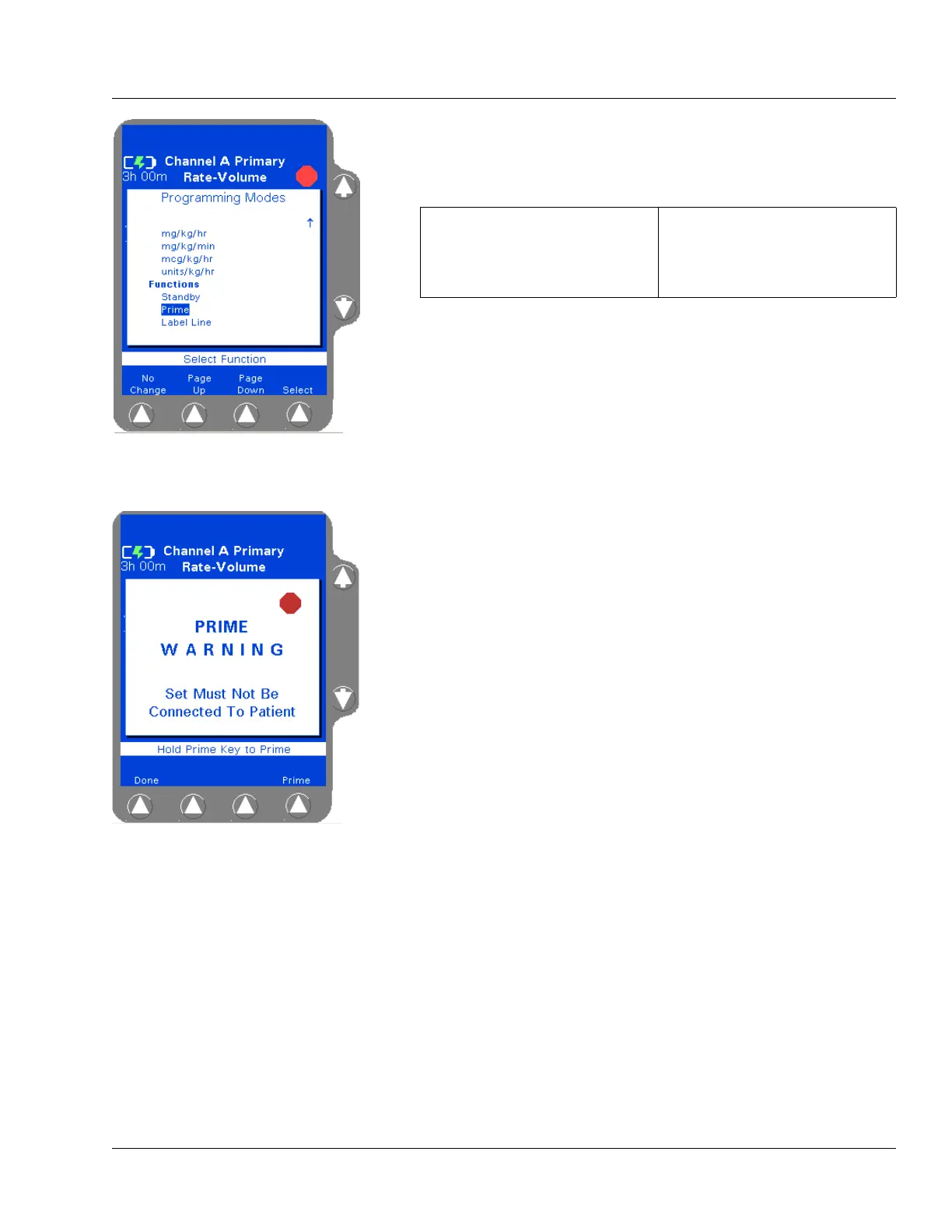
The Programming Modes menu is displayed (Figure 4-21).
4. Use the ×Ø keys to highlight Prime (under Functions), then press
the
Select soft key.
The PRIME WARNING pop-up (Figure 4-22) is displayed.
Figure 4-21 Programming
Modes Menu
For single channel pumps: For triple channel pumps:
press the Primary soft key or
the
Rate or Volume keys.
press the desired
Channel
Select
key.
Figure 4-22 Ready to Prime



 To Next Page