4 Primary Infusions
4-30 COLLEAGUE CXE VOLUMETRIC INFUSION PUMP OPERATOR’S MANUAL 071960491
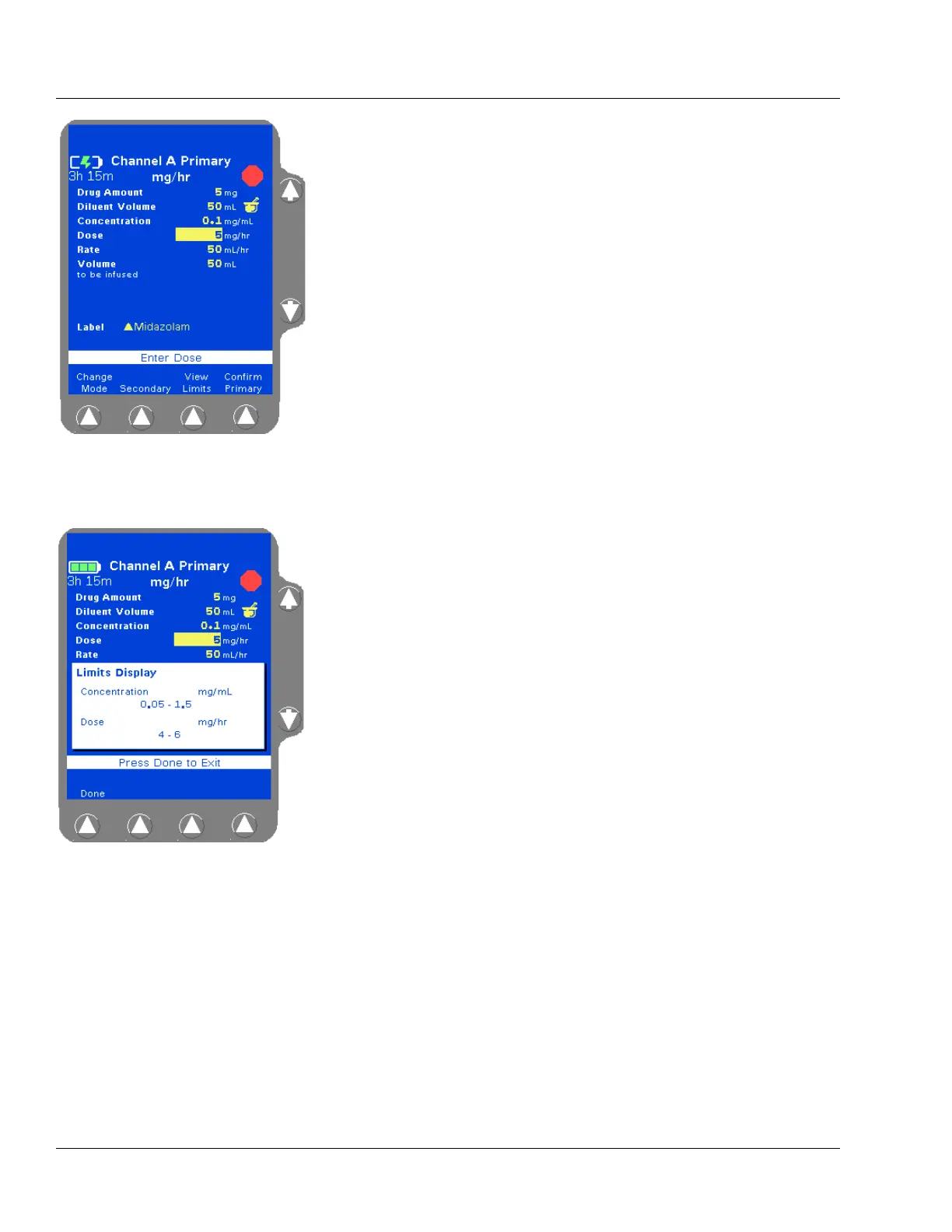
The programming mode changes to the mode configured for the
selected label, and the Drug Amount, Diluent Volume, and
Concentration fields are filled with the defined values. The
Volume To Be Infused field is filled with the standard Diluent
Volume (Figure 4-39).
4. (Optional) To view a pop-up window (Figure 4-40) showing the
limits programmed for the label, highlight the Concentration or
Dose fields, then press the
View Limits soft key. Press the Done
soft key to close the pop-up and continue. Concentration limits
cannot be overridden.
5. (Optional) If the label is set up to allow non-standard concentration
programming, the drug amount, diluent volume, and concentration
can be changed by using the
×Ø keys to highlight the appropriate
field and entering new values using the numeric keypad.
6. Use the Ø key to highlight the Dose field.
7. Enter the desired dose (or change the default dose, if clinically
appropriate) using the numeric keypad. The pump displays the dose
and calculated flow rate.
Figure 4-39 COLLEAGUE
GUARDIAN Programming Screen—
Non-Weight-Based Label
Figure 4-40 COLLEAGUE
GUARDIAN Limits Display Pop-up
Note:
Rate Outside
Limits
If a dose is entered that results in a rate outside the
rate limits of the current PERSONALITY feature set,
High or Low is displayed in the Rate field. Reprogram
so that the rate is within the limits.



 To Next Page