© 2012-2019 Baylis Medical Company Inc. 23 of 48 DMR RFP-100A 3.3 V-13 29-May-2020_EN.docx
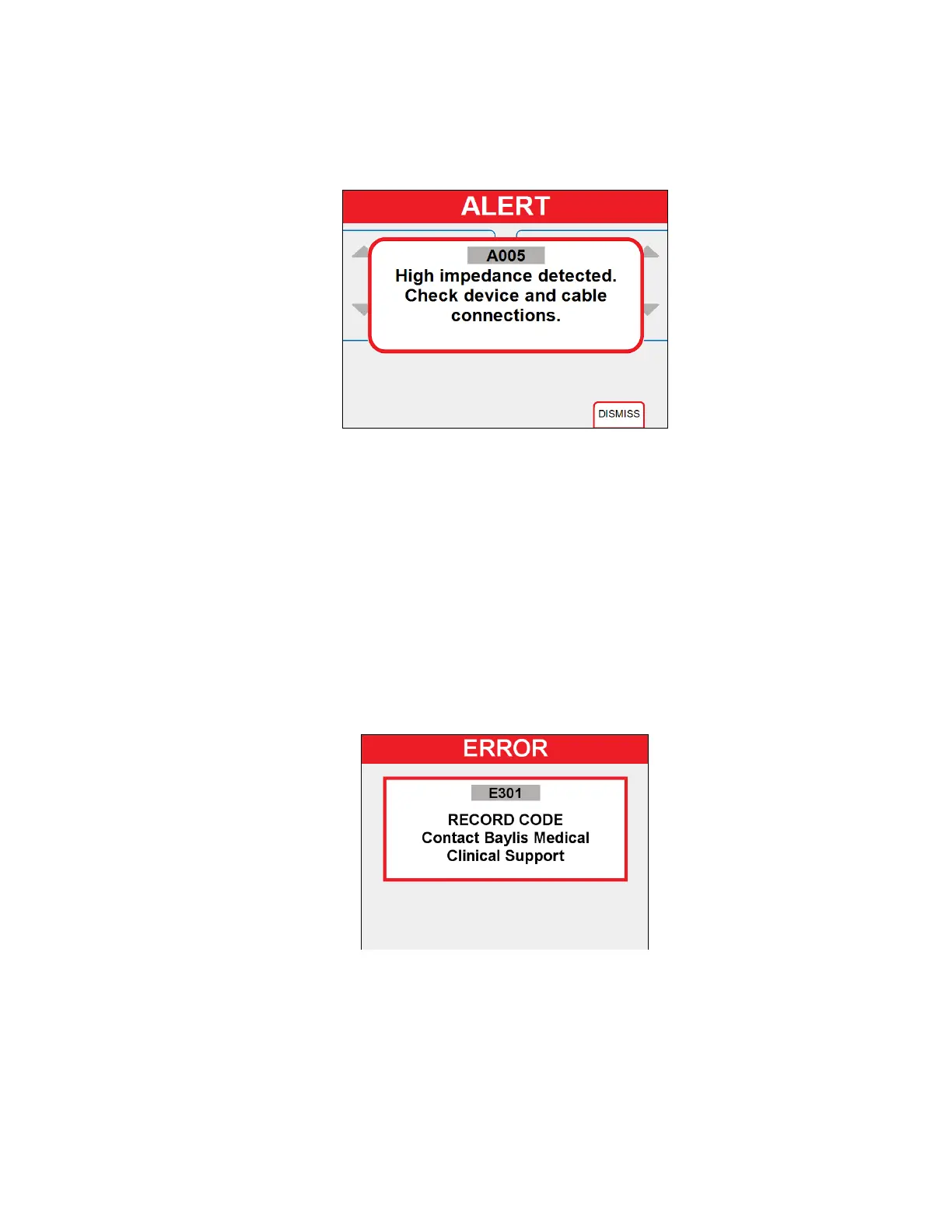
• An alert tone is sounded, “ALERT” is displayed in a red status bar, and a message
with a code is displayed. See Section 9.4 for a list of ALERT codes and possible
causes.
• The message is displayed for five (5) seconds or until the “DISMISS” soft key is
pressed.
Figure 6-5- ALERT State Display
6.6. FAULT (ERROR) State
• The FAULT State is initiated when a system error has occurred.
• System errors include self-test failures, hardware protection errors, hardware
measurement errors, and software failures.
• The user must record the error code and cycle main power (off-on) to the Generator
to attempt recovery from a system error. Contact Baylis Medical Clinical support if
error persists.
• A tone is sounded, “ERROR” is displayed in a red status bar, an error code is
displayed, and the FAULT Indicator flashes red.
• If the Generator does not enter POST, then it will be considered as an error.
Figure 6-6- FAULT (ERROR) State Display
6.7. SETUP State
• The SETUP State is initiated when the user presses and holds for three (3) seconds:
o the bottom-most soft key of the right column soft keys AND
o the left-most soft key of the bottom row soft keys.
• The Generator setting to be adjusted is highlighted in BLUE and its value is black.
o SELECT: The left soft keys are used to scroll through the settings.



 To Next Page