© 2012-2019 Baylis Medical Company Inc. 24 of 48 DMR RFP-100A 3.3 V-13 29-May-2020_EN.docx
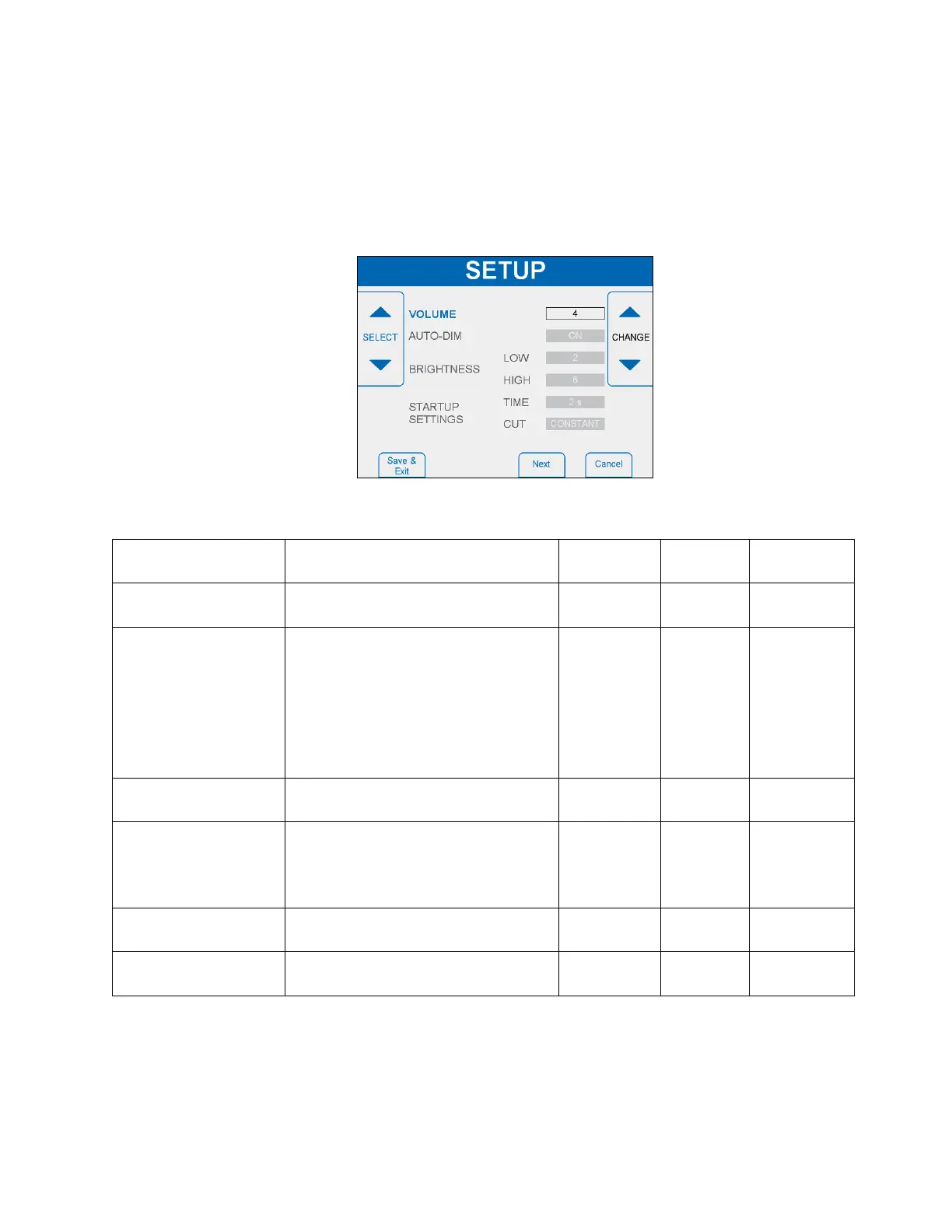
o CHANGE: The right soft keys are used to adjust the value of the highlighted
setting.
• The SETUP State is exited and the settings are stored when “Save and Exit” is
pressed and held for three (3) seconds. A tone sounds to confirm the settings were
saved.
• The SETUP State is exited and the settings are NOT stored when “Cancel” is pressed.
• “Next” and “Back” soft keys change between the different SETUP screens.
Figure 6-7- SETUP State Display - Page 1
Loudness level of the audible
tones
Automatic adjustment of screen
brightness based on the ambient
light level.
When ON, the screen dims to
BRIGHTNESS-LOW in low
ambient light and BRIGHTNESS-
HIGH in high ambient light.
Desired screen brightness level in
low ambient light.
Desired screen brightness level in
high ambient light
Screen brightness when AUTO-
DIM is OFF.
Value for TIME setting when
Generator is powered up
Value for CUT mode setting
when Generator is powered up



 To Next Page