EasyManua.ls Logo

BBK DK2810HD - Page 41

BBK DK2810HD
132 pages
Print Icon
To Next Page IconTo Next Page
To Previous Page IconTo Previous Page
Loading...
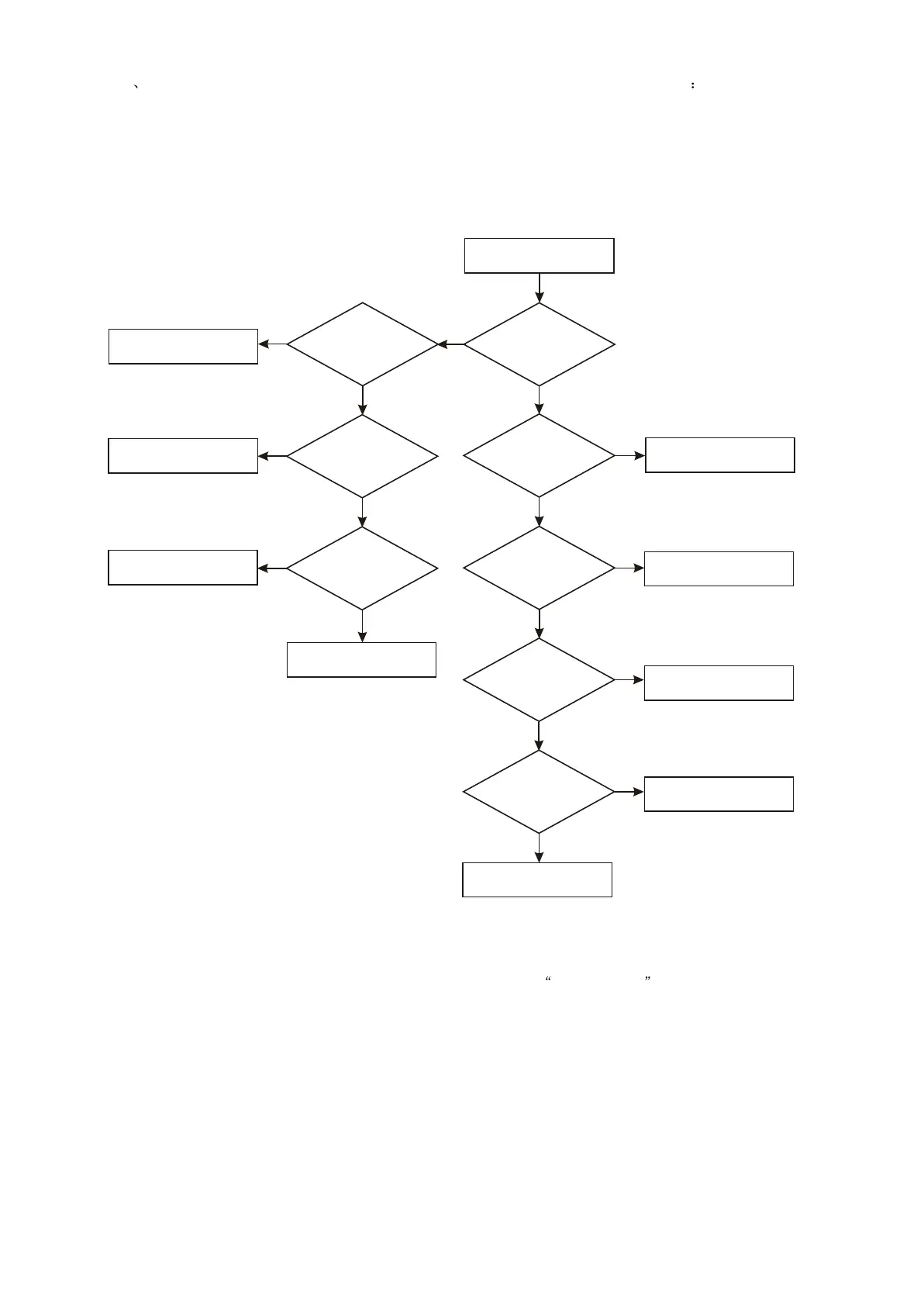
5 Troubleshooting flow chart of " no disc reading" is shown in figure 3.3.2.5
no disc reading
N
N
Check MT1389 power supply
Whether
pin 40 signal of MT1389
is normal
Whether
AM5888 power supply
voltage is normal
N
Check power circuit
Y
Whether
driving voltage of
AM5888 each channel
is normal
N
Replace Am5888
Y
Replace pick-up
Y
After
tray closes to
right position, whether
pick-up has
motions
N
Whether pick-up lights
Whether
pick-up +5V power supply
is normal
N
Y
Whether
MT1389 servo signal
is normal
N
Y
Y
Check loader 5P flat cable
Check power supply
Check disc
recognizing circuit
Replace pick-up
N
Y
Replace Mt1389
Y
Whether
pin 213 voltage of
Mt1389 is 0V
Figure 3.3.2.5Troubleshooting flow chart of no disc reading
- 37 -

Related product manuals