MX610HD User’s Manual
MX610HD User’s Manual
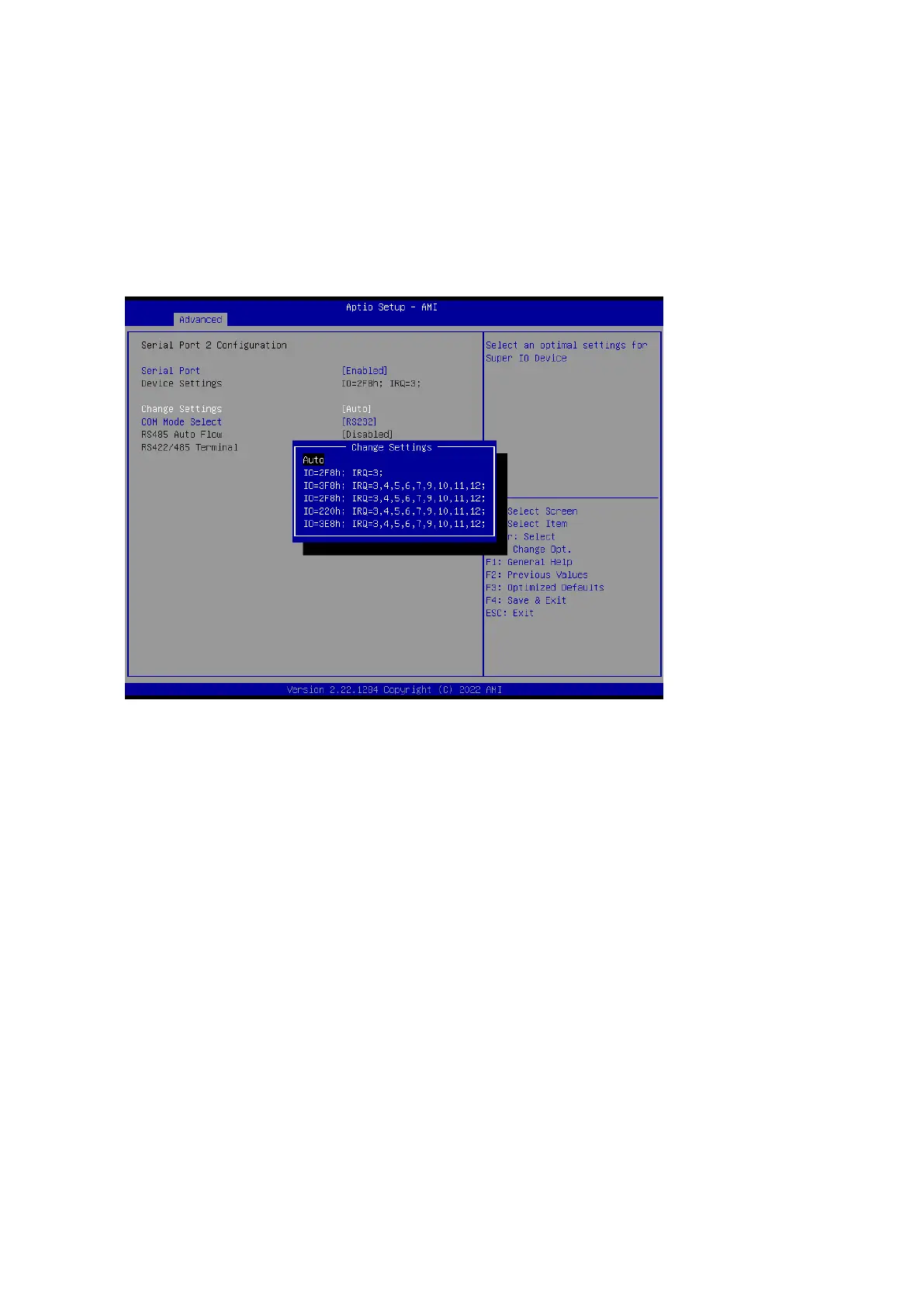
2.4.6.2 Serial Port 2 Configuration
Serial Port [Enabled]
Enable or Disable serial Port (COM)
Configuration options: [Disabled] [Enabled]
Change Settings [Auto]
Select an optimal settings for super IO device
Configuration options: as below
COM mode Select [RS232]
Configure the COM port Mode
Configuration options: [RS232] [RS485 Half Duplex][RS422 Ful Duplex]
2.4.6.3 Serial Port 3 Configuration
Serial Port [Enabled]
Enable or Disable serial Port (COM)
Configuration options: [Disabled] [Enabled]
Change Settings [Auto]
Select an optimal settings for super IO device
Configuration options: as below



 To Next Page