MX610HD User’s Manual
MX610HD User’s Manual
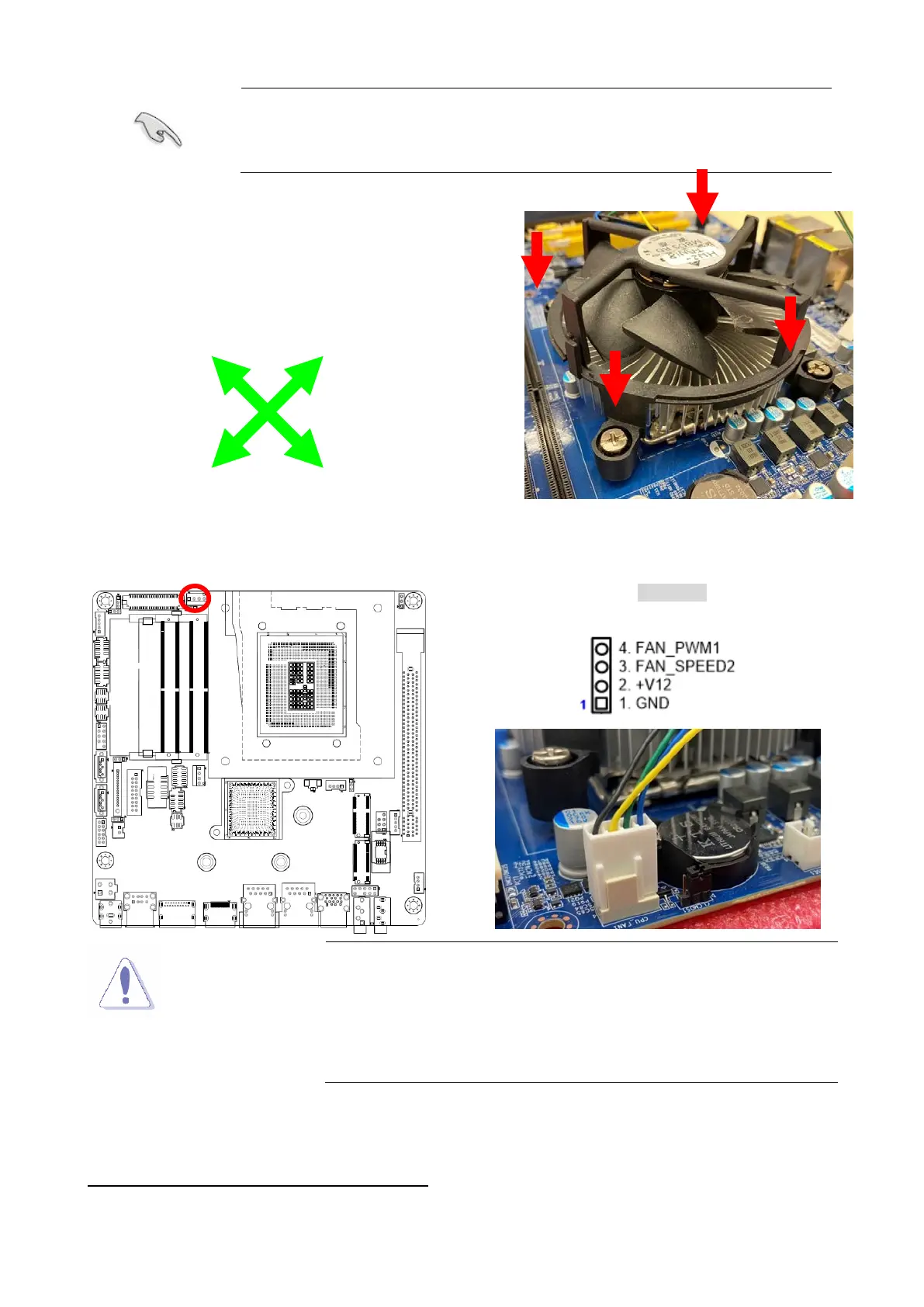
Make sure each fastener is oriented as shown.
2.
Push down two fasteners at a time in a
diagonal sequence to secure the heatsink and fan
assembly in place.
3. Connect the CPU fan cable to the connector on the motherboard labeled CPU_FAN
CPU FAN
Do not forget to connect the fan cables to the fan
connectors. Insufficient air
flow inside the system may
damage the motherboard components.
These are not jumpers! DO NOT place jumper caps on the
fan connectors.
1.3.3 Uninstalling the CPU Heatsink and Fan
To uninstall the CPU heatsink and fan:
1. Disconnect the CPU fan cable from the connector on the motherboard.
A
A
B
B



 To Next Page