42
Part No. 6-847681-00 Rev. D
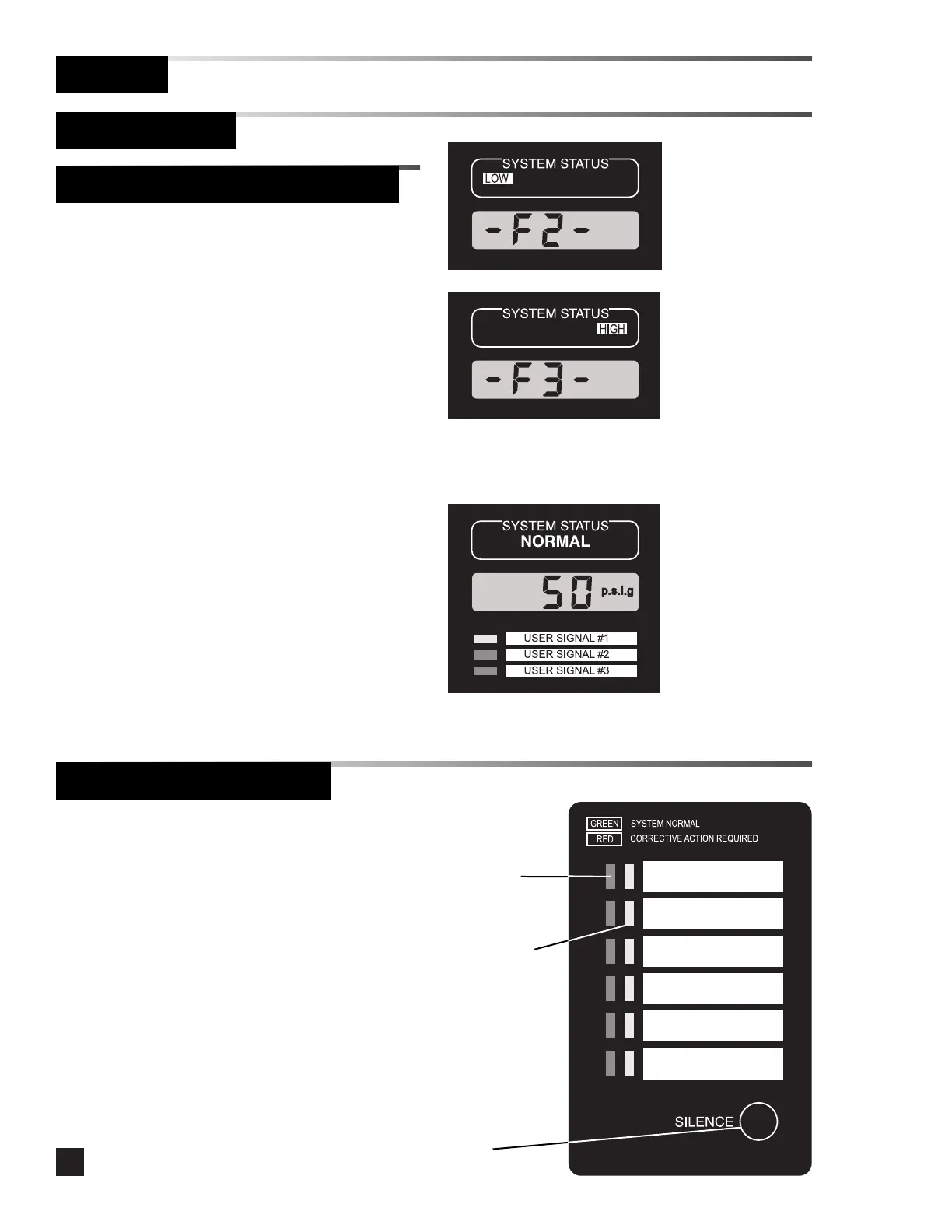
Multi-signal alarm modules monitor up to six
dry-contact switches.
•If the signal is normal (switch contacts closed),
the green signal indicator LED for the signal is
illuminated.
• If an alarm condition occurs, the audible alarm
sounds and the red indicator LED for the signal
illuminates or flashes depending on the signal
programming.
• Press the SILENCE button to silence the audible
alarm.
•The visual indicator will remain illuminated as
long as the alarm condition remains.
• Notify appropriate personnel of the alarm
condition.
Operation
Monitoring Mode
Multi-Signal Alarm Module
Digital Display Module (Continued)
User Assigned Alarm Signals:
•When an alarm condition occurs for user
assigned signal #1, the system status NORMAL
light flashes, the yellow signal indicator LED
illuminates and the audible alarm sounds.
•When an alarm condition occurs for user
assigned signal #2, the system status indicator
goes off, the red signal indicator LED
illuminates and the audible alarm sounds.
•When an alarm condition occurs for user
assigned signal #3, the system status indicator
goes off, the red signal indicator LED flashes
and the audible alarm sounds.
•Multiple alarms occurring simultaneously
results in multiple LEDs illuminated. The
audible alarm sounds as each new alarm
occurs.



 To Next Page