7
Part No. 6-847681-00 Rev. D
Rough-In Installation
Alarm Panel Rough-In Boxes
Refer to the building plans to determine
alarm locations and configurations. Alarm
panels may be assembled into horizontal or
vertical configurations.
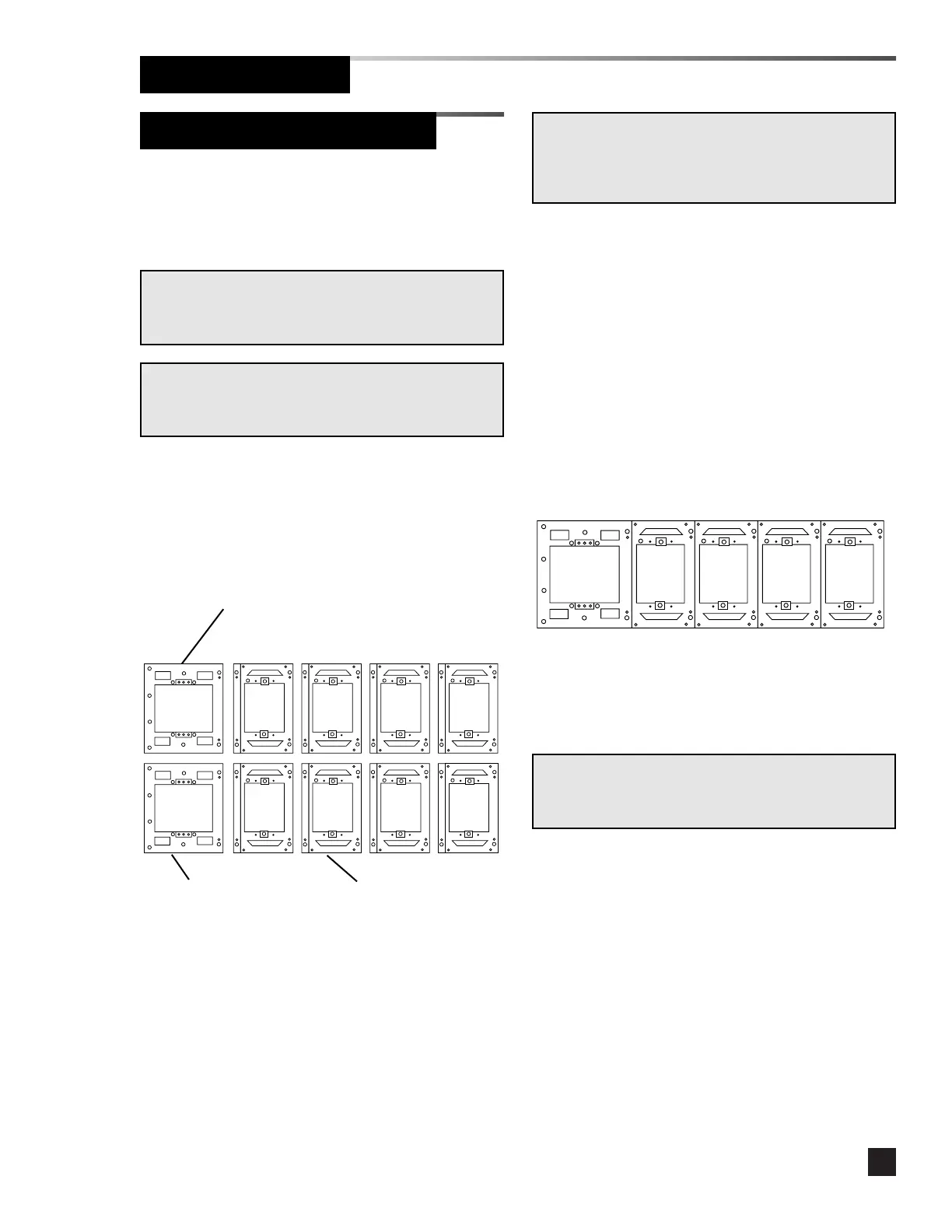
1. Arrange the mounting boxes to the
desired alarm panel configuration. The
larger power supply module mounting
box must be at the lower left of the alarm
panel.
2. Install a rubber grommet in the hole in
the right side of the power supply
mounting box.
3. Install an end cap onto the left side of the
mounting box which will be adjacent to
the power supply. Use (2) #6-20 x 1/4”
screws.
NOTE:
If the alarm panel part number series is APL or MPL,
proceed to Mount Alarm Panel.
NOTE:
If the alarm panel part number series is APR or MPR,
proceed to Sensor Module Rough-In Boxes.
4. Remove the lower rear knockout from the
end panel and install a rubber grommet.
5. Place the right flange of the power supply
mounting box over the left flange of the
alarm module mounting box and attach
with (2) #6-20 x 1/4” screws.
6. Assemble remaining mounting boxes
using (2) #6-20 x 1/4” screws per
mounting box until the desired horizontal
width is reached.
7. Install an end cap on the last box in the
row using (2) #6-20 x 1/4” screws.
8. If the alarm panel will contain more than
one horizontal row, assemble the next
row.
NOTE:
Each row of mounting boxes must have end caps attached
to both ends.



 To Next Page