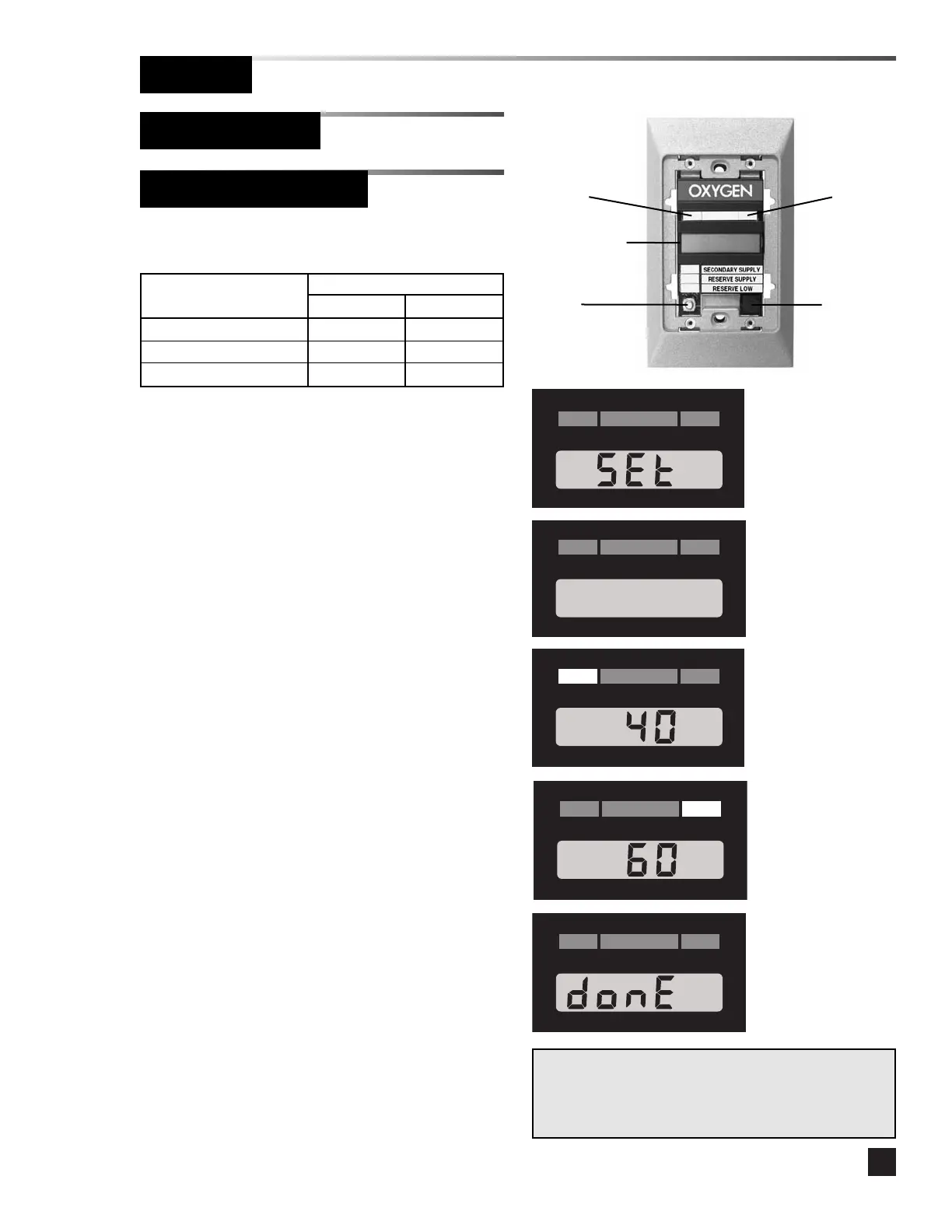
Digital display modules are shipped from
the factory with the following settings:
Gas/Vacuum Alarm Set Points
Service Low High
Pressure (50 psig) 40 psig 60 psig
Nitrogen 140 psig 190 psig
Vacuum/WAGD 12 in Hg. 32 in Hg.
Changing units and alarm set points:
1 Remove the cover plate.
2 Press the SETUP button to enter setup
mode. SET will display for two seconds.
3. The display unit of measure will flash.
Press the SILENCE button to cycle
through the units (psig, in. Hg, kPa).
4. Press the SETUP button to advance to the
low alarm set point. The LOW LED
illuminates and the low set point flashes.
5. Press the SILENCE button to increment
the low set point. Press and hold the
SILENCE button to increase the
increment rate. After the display reaches
the maximum (200 psig, 32 in. Hg, or 1380
kPa) it rolls back to 0.
6. Press the SETUP button to advance to the
high alarm set point. The HIGH LED
illuminates and the high set point flashes.
7. Press the SILENCE button to increment
the high set point. Press and hold the
SILENCE button to increase the
increment rate. After the display reaches
the maximum (200 psig, 32 in. Hg, or 1380
kPa) it rolls back to 0.
8. Press the SETUP button to save changes
and exit setup mode. The LCD displays
DONE for two seconds, then the module
returns to monitoring mode.
NOTE:
If the module is idle for more than one minute during the
setup procedure, the module will default to the previously
set program.
HIGH LED
Liquid Crystal
Display (LCD)
SETUP
button
SILENCE
button
LOW LED
Display
Units
Low Alarm
Set Point
High Alarm
Set Point



 To Next Page