36
Part No. 6-847681-00 Rev. D
Operation
Changing network address and reading
offset: (Software 3.0 and higher)
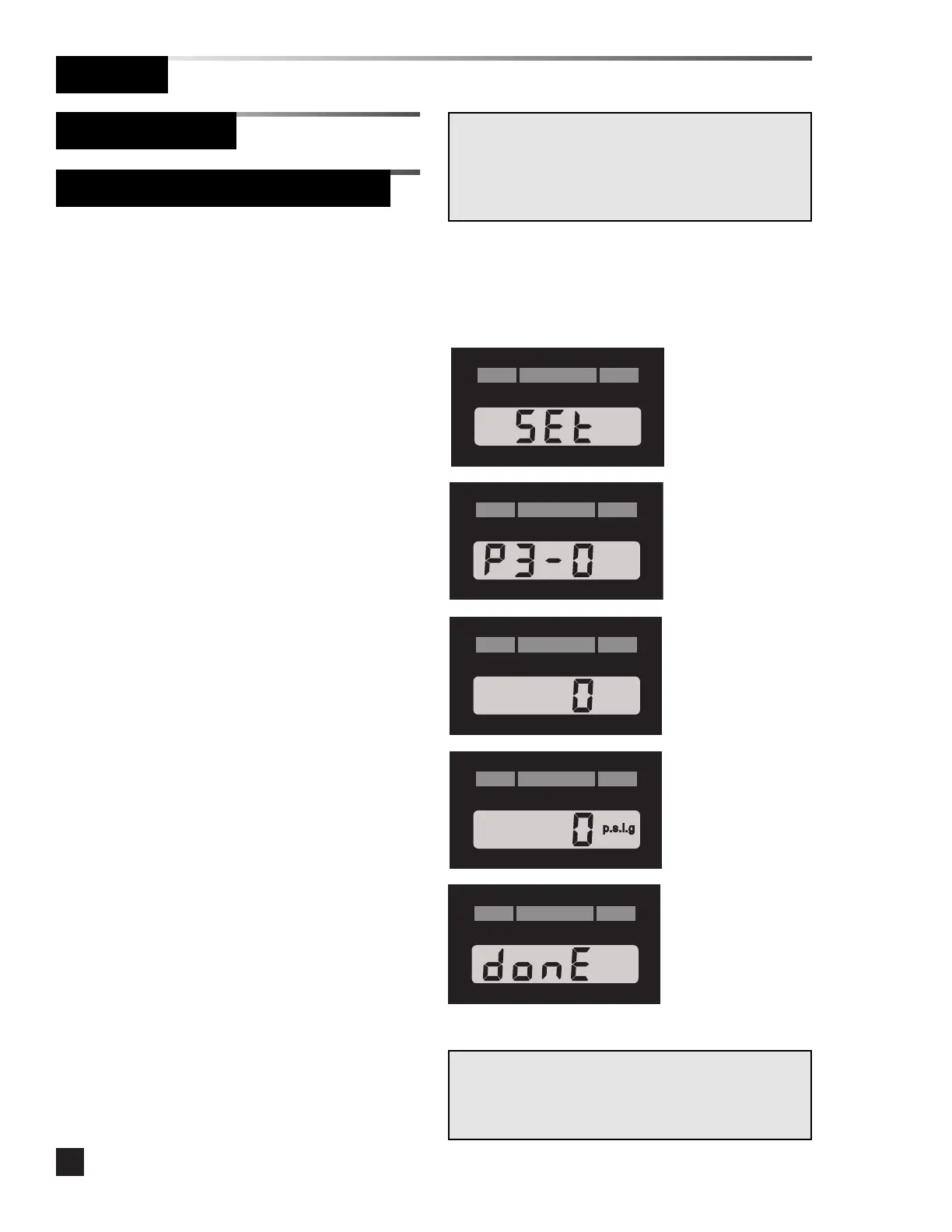
1 Remove the cover plate.
2. Press the SETUP button then quickly
press the SILENCE button.
3. The software revision will display for
approximately 4 seconds (e.g. P3-0).
4. The network address will flash.
5. Press the SILENCE button to increment
the address. Press and hold the SILENCE
button to increase the increment rate.
After the display reaches the maximum of
255 it rolls back to 0.
6. Press the SETUP button to advance to the
reading offset. The reading offset flashes.
7. Press the SILENCE button to increment
the reading offset. The offset will cycle
0,1,2,-2,-1 and then roll back to 0.
8. Press the SETUP button to save changes
and exit setup mode. The LCD displays
DONE for two seconds, then the module
returns to monitoring mode.
Warning:
The following advanced setup options should only be
performed by qualified personnel. Improperly set
addresses can cause the alarm not to communicate with a
computer or building monitoring system.
The network address uniquely identifies
each digital display module to a personal
computer or Johnson Controls Metasys®
system.
An external computer is required to
program network addresses on digital display
modules prior to software revision 3.0.
The reading offset is used to adjust the
display by a maximum of ±2 psig for
pressure or ±1 in Hg. for vacuum (this
feature is only available with software 3.0 or
higher).
Digital display modules are shipped from
the factory with the network address and the
reading offset set to zero.
Set-Up Procedure
Digital Display Module (Advanced)
NOTE:
If the module is idle for more than one minute during the
setup procedure, the module will default to the previously
set program.
Software
Revision
Network
Address
Reading
Offset



 To Next Page