IPC@CHIP DK41 / DK51
Getting Started V2.2
© 2000-2004 Beck IPC GmbH Page 27 of 61
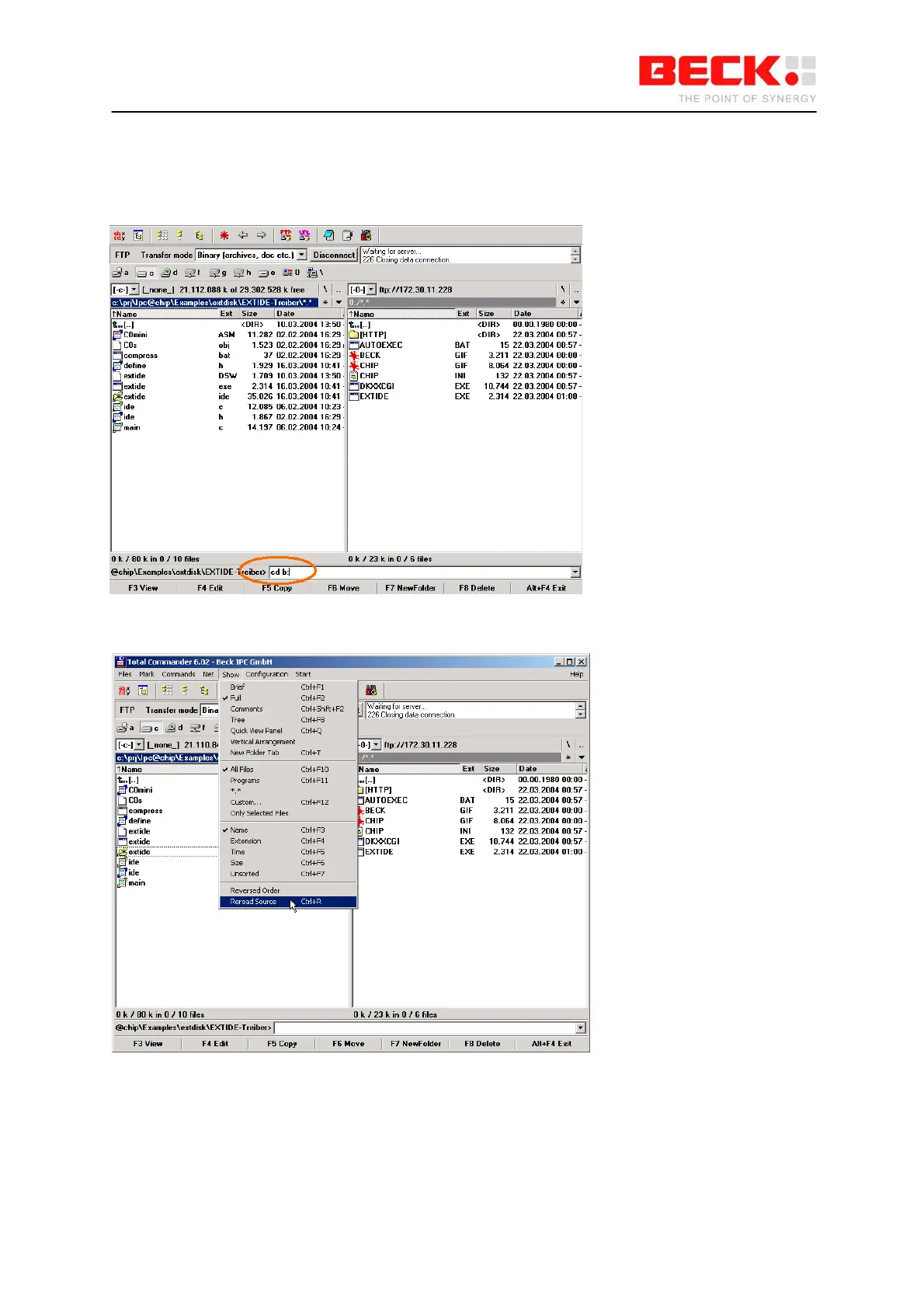
TotalCommander must then be used as the FTP client in order to transfer the files to the
CompactFlash card. After the FTP connection has been established, you must switch the current drive
on the IPC@CHIP from A: to B:. To do this enter the command "cd b:" in the command line shown
below and confirm with <ENTER>.
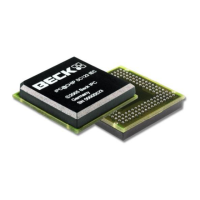
The view must then be refreshed by choosing the “Reread Source” command in the “Show" menu.



 To Next Page