IPC@CHIP DK41 / DK51
Getting Started V2.2
© 2000-2004 Beck IPC GmbH Page 47 of 61
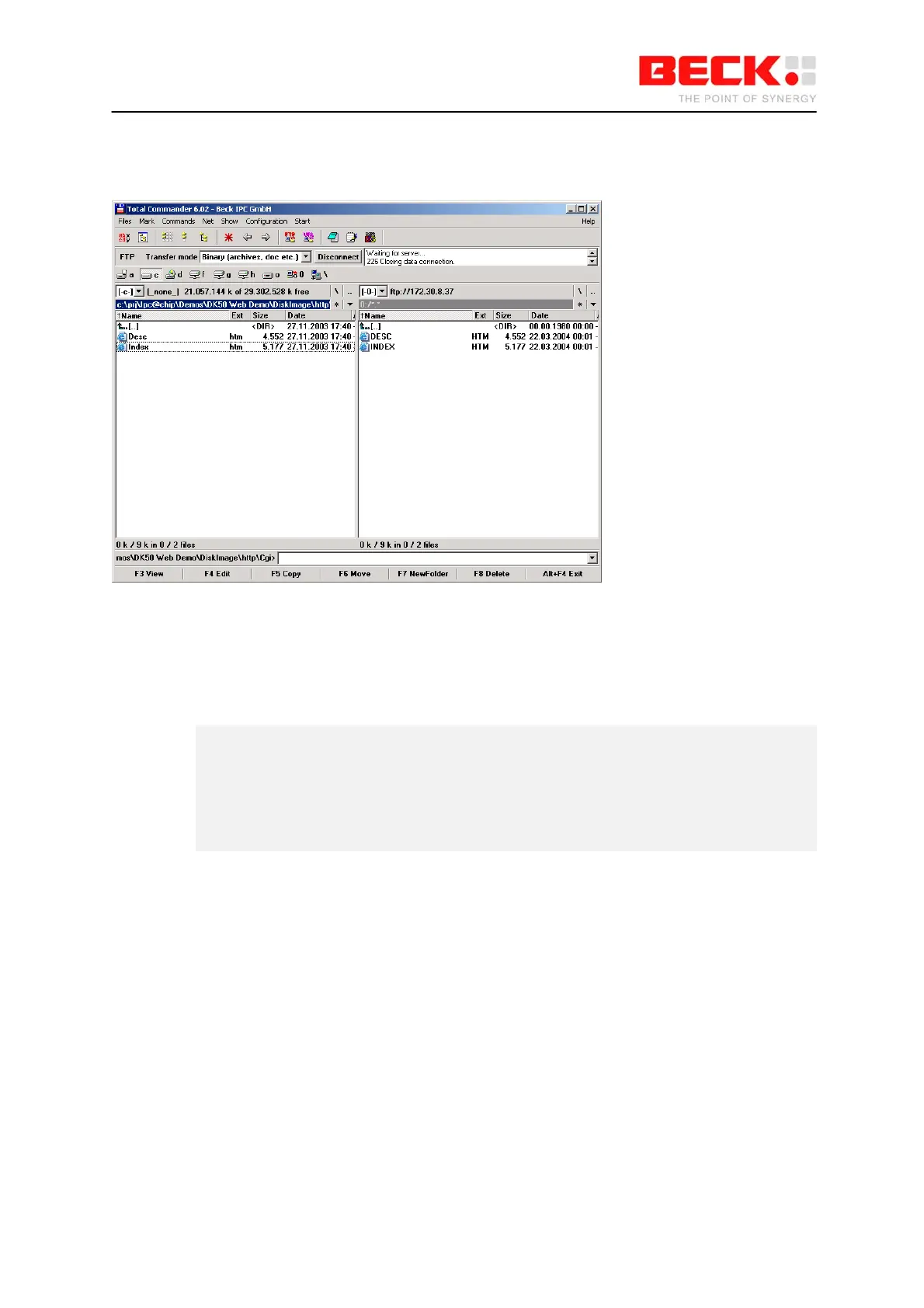
The drive content of the CompactFlash card will then be displayed in the right-hand pane and you can
also copy files to it.
Remember the following:
Files must be in 8.3 format.
You can enter the commands "B: <ENTER>" and "DIR <ENTER>" in the HyperTerminal program in
order to view the content of the Compact Flash card:
A:\>b:
B:\>dir
DESC HTM 4552 03-22-04 00:01
INDEX HTM 5177 03-22-04 00:01
2 files use 9729 bytes
63922176 bytes free



 To Next Page