22
Installation GRS105/GRS106
Release
01
11/2021
5.3 Device views
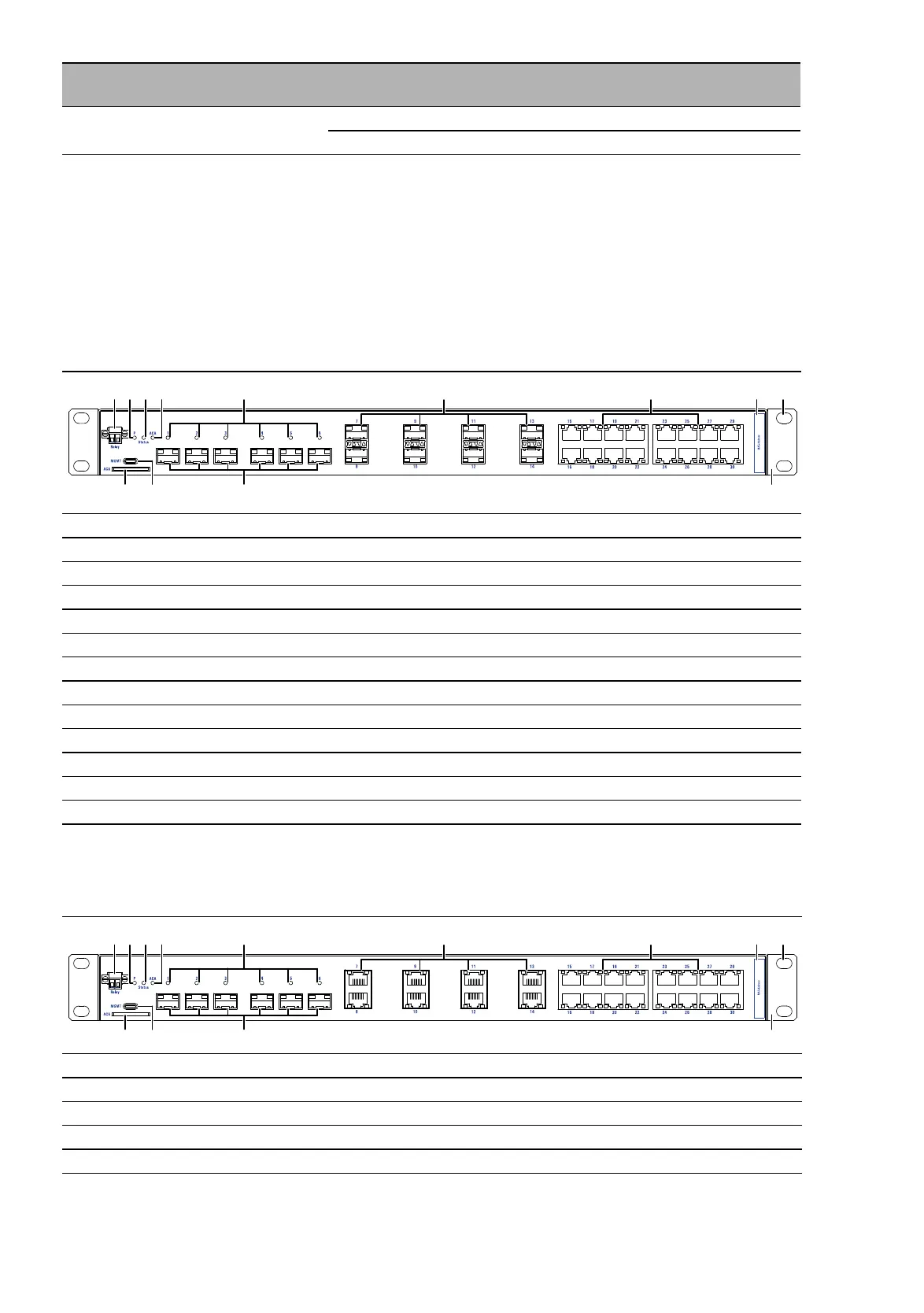
5.3.1 Front view device variant GRS106-6F8F16T...
5.3.2 Front view device variant GRS106-6F8T16T...
28 ... 32 Software version XX.X. Current software version
08.9. Software version 08.9.
1 Signal contact (2-pin terminal block)
2 Status LED Power (P)
3 Status LED Device status (Status)
4 Status LED AutoConfiguration Adapter (ACA)
5 LED display elements (SFP slots Port group I)
6 Port group II 8 × SFP slot for 1/2.5 Gbit/s F/O connections
7 Port group III 16 × RJ45 socket for 10/100/1000 Mbit/s Twisted pair connections
8 MAC address field
9 Oblong hole
10 Mounting bracket
11 Port group I 6 × SFP slot for 1/2.5/10 Gbit/s F/O connections
12 Management interface (MGMT), USB Type-C socket
13 SD card slot (ACA31)
Table 2: Front view device variant GRS106-6F8F16T...
1 Signal contact (2-pin terminal block)
2 Status LED Power (P)
3 Status LED Device status (Status)
4 Status LED AutoConfiguration Adapter (ACA)
5 LED display elements (SFP slots Port group I)
Table 3: Front view device variant GRS106-6F8T16T...
Item Characteristic Characte-
ristic value
Description
Table 1: Device name and product code













 To Next Page