30
Installation GRS105/GRS106
Release
01
11/2021
5.6 Management interfaces
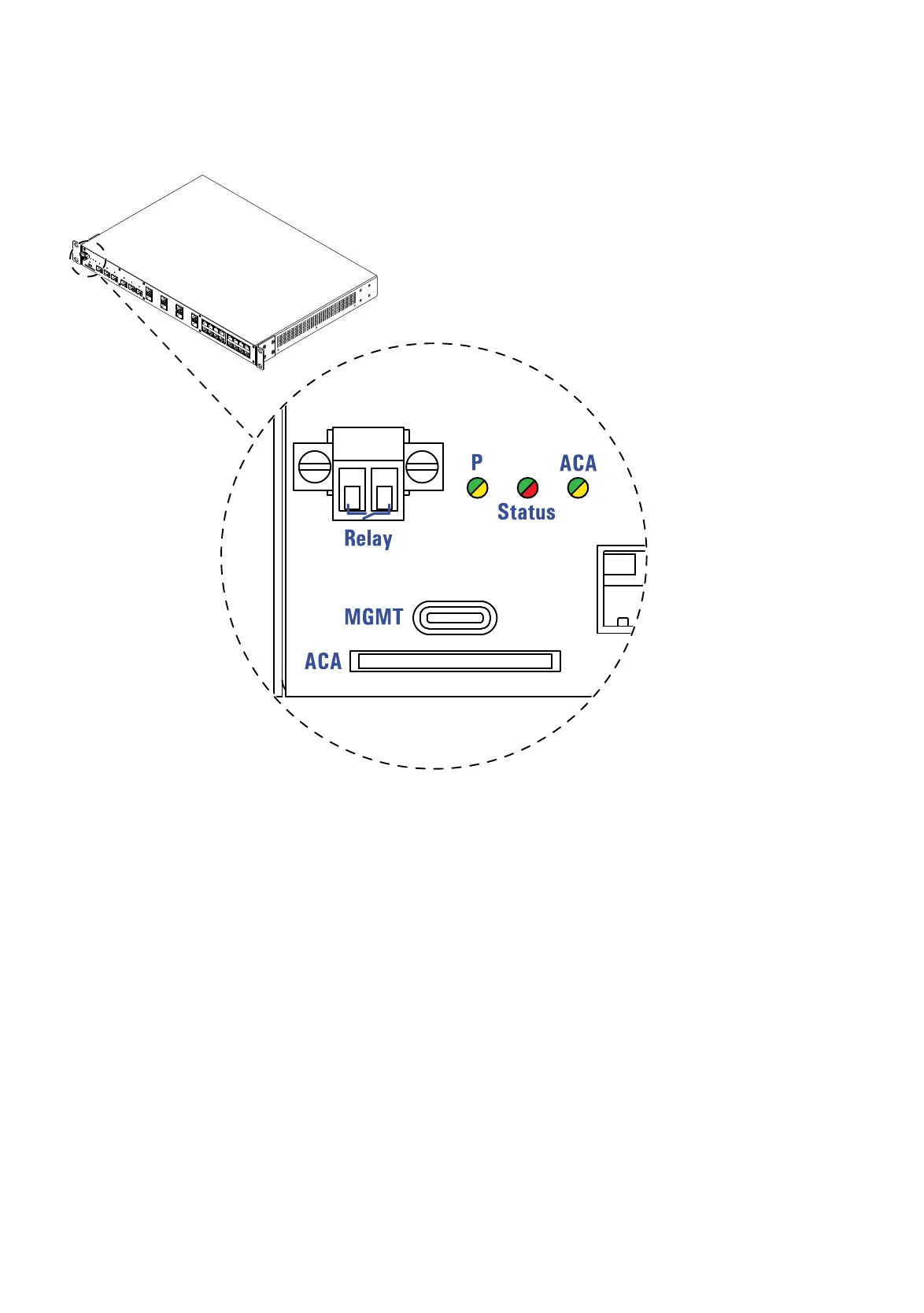
5.6.1 Signal contact
Figure 4: Signal contact: 2-pin terminal block with screw lock, location on the device
(front of the device)
The signal contact is a potential-free relay contact. When the device is not
connected to a power supply, the signal contact is open.
The signal contact allows you to control external devices or monitor device
functions.
In the configuration, you specify how the device uses the signal contact.
You will find detailed information on possible applications and the
configuration of the signal contact in the software user documentation. You
will find the software user documentation as PDF files on the Internet at
https://www.doc.hirschmann.com













 To Next Page