1111
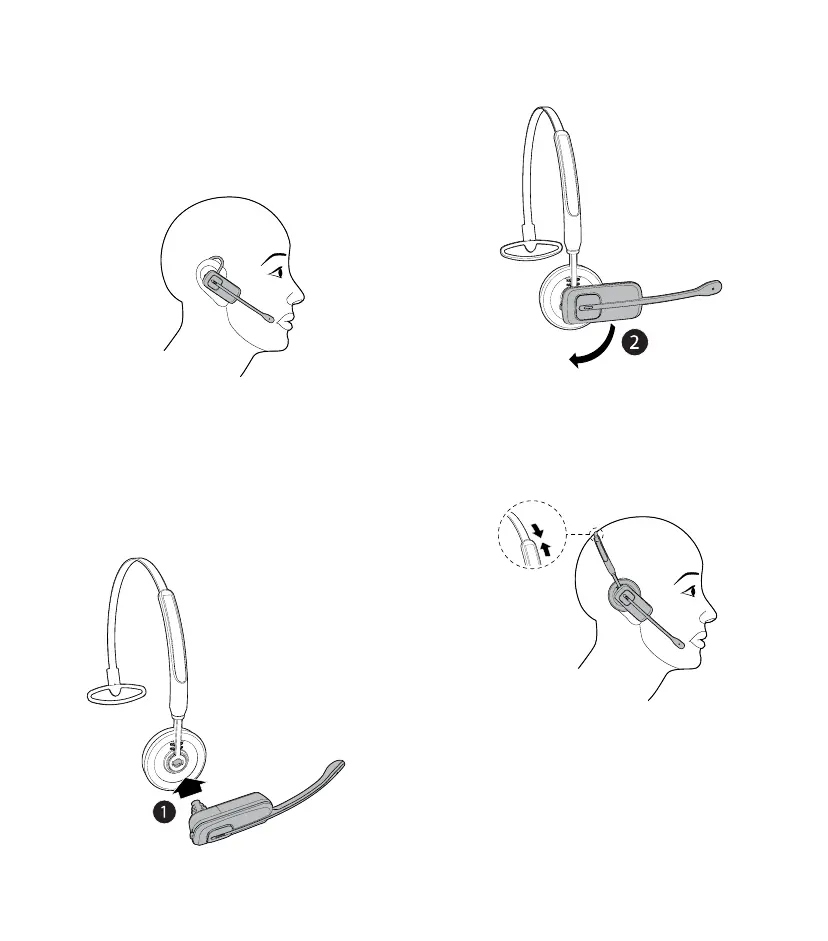
Adjust the headset to wear on the ear
• Hook the headset on your ear. Adjust the angle
of the headset until the microphone is pointing
towards your mouth. Firmly grip the headset
with one hand whenever adjusting the headset
microphone up or down
Over the headband
To attach the headband to the headset:
1. Refer to Steps 1 and 2 in Replace the pre-
installed earbud and earhook section to
remove the earbud and earhook.
2. Attach the headset to the headband.
3. Rotate the headset to the vertical position until it
clicks into place.
4. Adjust the headband to t your head. Adjust and
rotate the angle of the headset until the microphone
is pointing towards your mouth.



 To Next Page