3434
Set your built-in answering system
The answering system can record and store up to
99 messages. Each message can be up to three
minutes in length. The total storage capacity for
the announcement, messages and memos is
approximately 23 minutes. The actual recording time
depends on individual message characteristics.
Your answering system allows you to set your
announcement, to save and delete messages,
activate call screening, set number of rings before
pick up and access remotely.
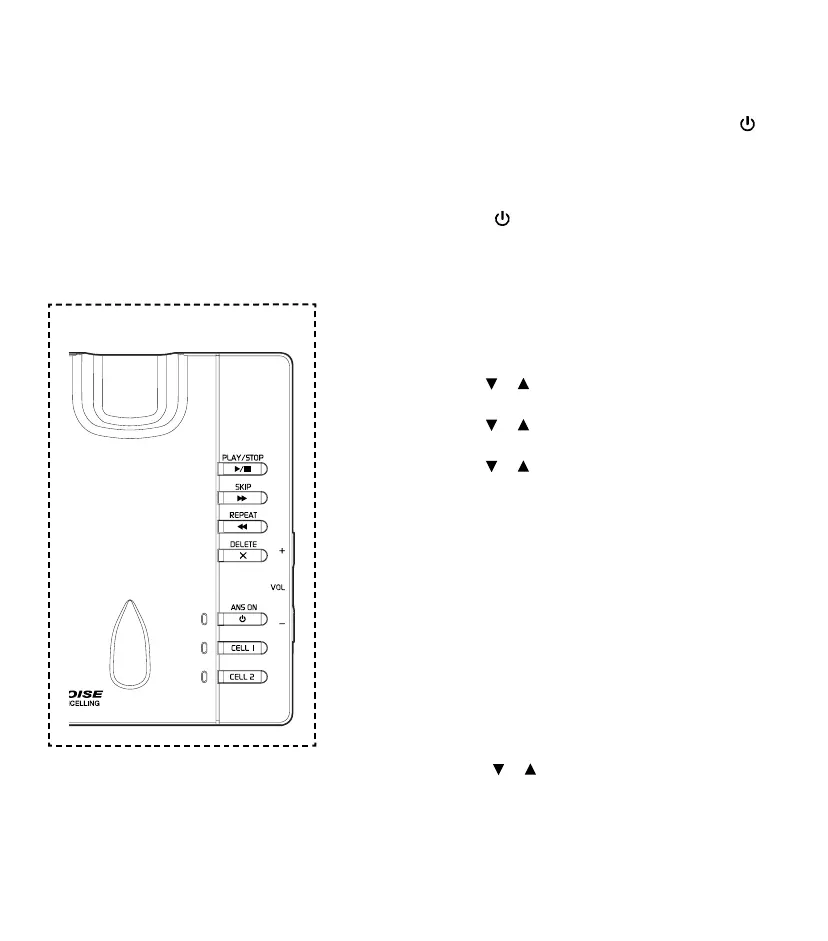
Telephone base control key panel:
Turn the answering system ON or OFF
The answering system must be turned ON to
answer and record messages.
When the answering system is turned ON, the
/
ANS ON/OFF light on the telephone base will turn
ON and ANS ON will display on the handset.
To turn ON or OFF with the telephone base
• Press /ANS ON/OFF to turn the built-in
answering system ON or OFF. When the
answering system is turned ON, it will announce,
“Calls will be answered.” When the answering
system is turned OFF, it will announce, “Calls will
not be answered.”
To turn ON or OFF with the handset
Press MENU when the handset is not in use.
1. Press
or to choose Answering sys, then
press SELECT.
2. Press
or to choose Answer on/off, then
press SELECT.
3. Press
or to choose On or Off, then
press SELECT to save. You will hear a
conrmation tone.
Default announcement
The telephone is preset with a greeting that will
answer incoming calls with “Hello, please leave a
message after the tone.” You can use this preset
announcement, or replace it with your own.
Record your own announcement
The announcement can be up to
90 seconds in length.
1. Press MENU when the handset is not in use.
2. Press
or to scroll to Answering sys,
then press SELECT.
3. Press SELECT again to
choose Announcement.



 To Next Page