31
The next steps are required in order to remove the thermal print head.
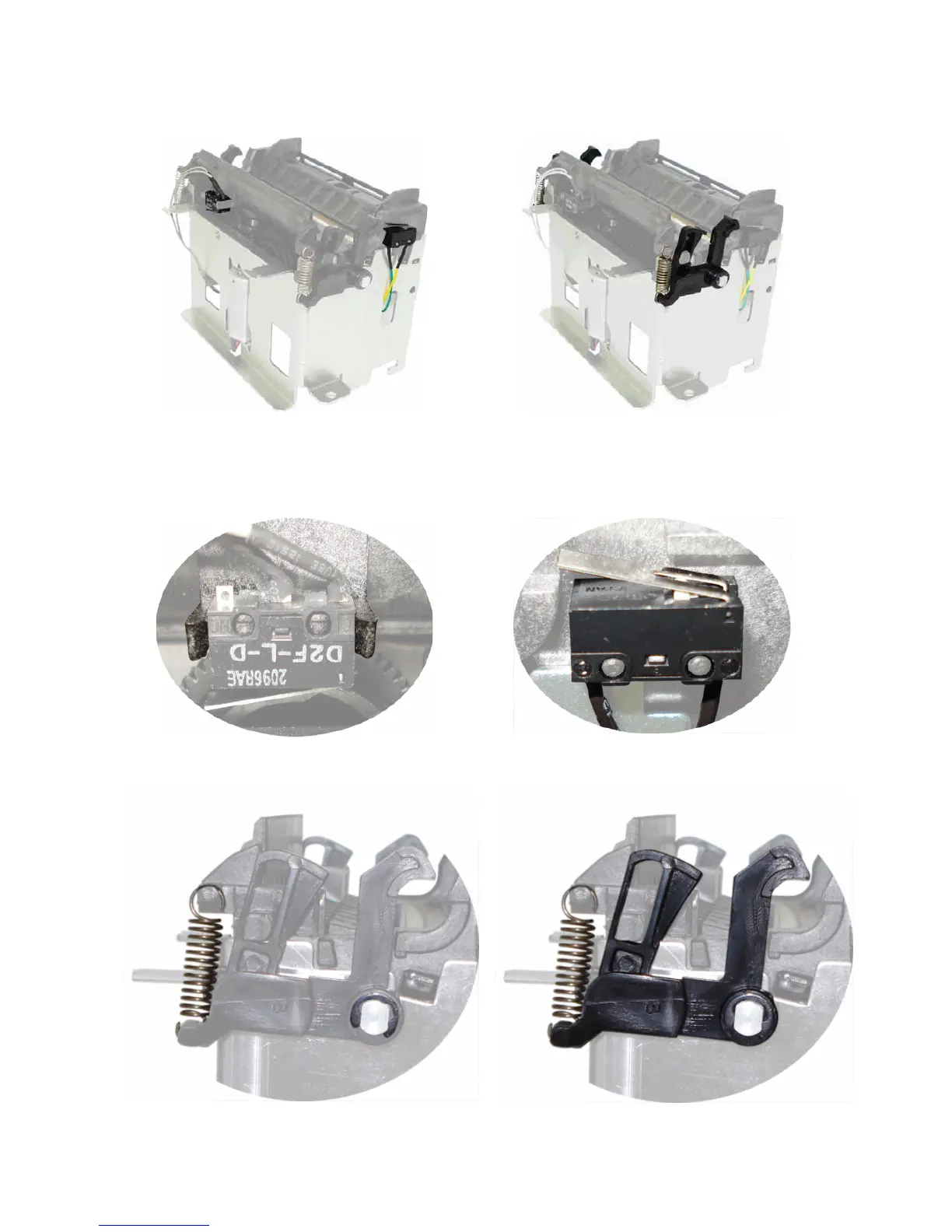
Start by removing the sensors and then the cover lock set.
To remove the cutter sensor (located at the front of the mechanism) pull it to the front while
opening the locks that hold the mechanism (picture below, on the left).
To release the cover sensor (located at the side of the mechanism) just pull it out. This sensor
is not held by any locks (picture below, on the right).
Remove the cover lock set. Start by removing the retainer ring and then the spring; to remove
the cover lock and the lock actuator just pull it out.



 To Next Page