24 Bend-Tech Dragon A400
Powered Gate Retrot Guide
Installation Guide
02
Powered Gate Installation
Important
The Powered Gate assembly is heavy and can rotate unexpectedly while
handling. Bend-Tech recommends the Installer enlist a helper when installing the
Powered Gate.
Tools Required
•
1. Placing the Gate
Before placing the Powered Gate assembly on the
machine, the Installer should align the Powered
bench with the Gate face up and the v-groove
eccentric bearing closest to the Installer. The Gate
Mount Plate will be placed on the machine with the
v-groove eccentric bearing at the bottom, or in the
6 o’clock position. Lift the Powered Gate Assembly
bearing is in the 6 o’clock position.
2. Attaching the Gate
While enlisting a helper, the Installer should place
the Gate on the front of the machine, aligning it on
the mounting pins. Position the Gate from the side
of the machine if the Parts Catcher is installed.
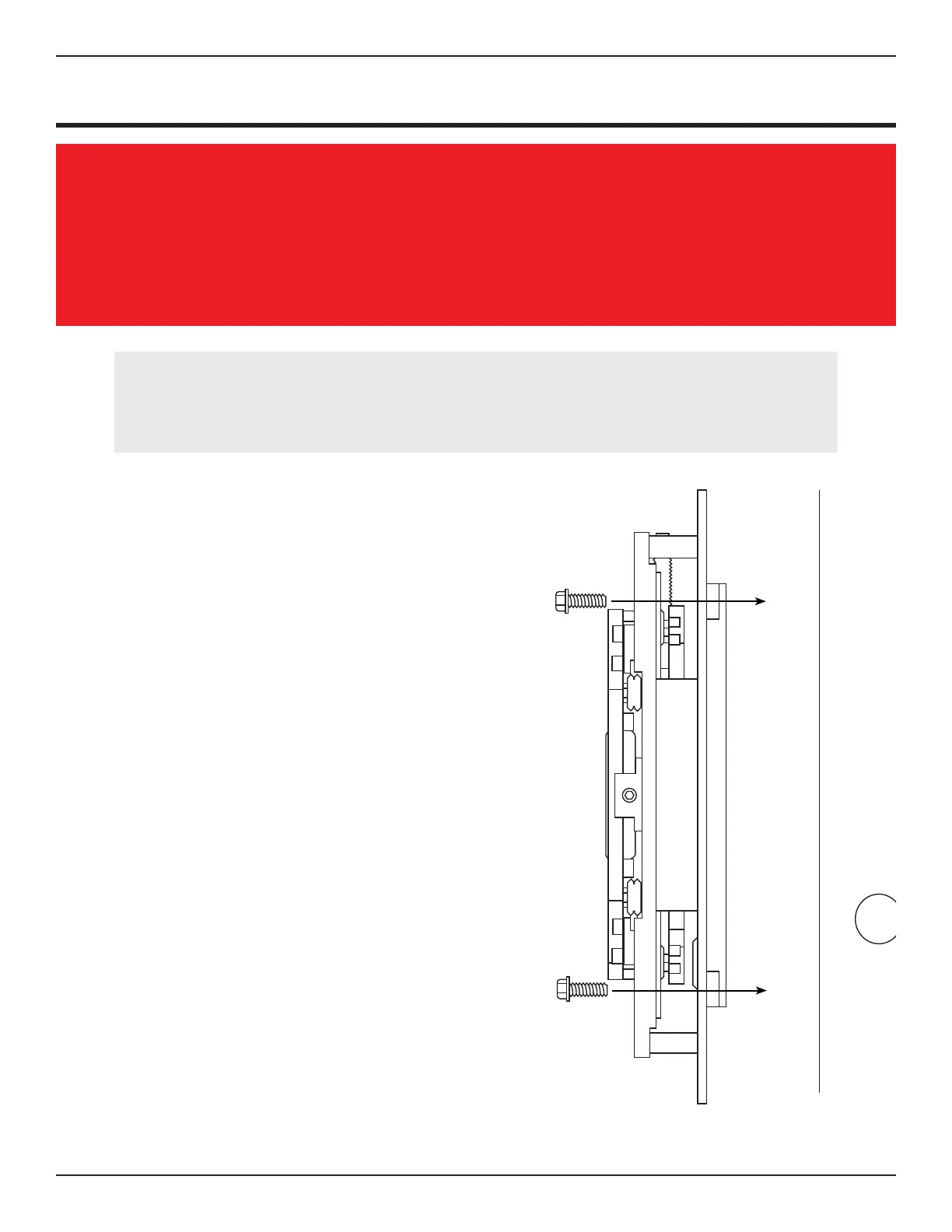
There are four access holes in the Gate Ring Gear
to allow installation of the Gate Mount Bolts. While
mounting pins, gently turn the Gate Ring Gear to
align the access holes for the Gate Mount Bolts.
Locate the four Gate Mount Bolts and install using
securely.
The Powered Gate is now mounted on the Dragon
A400.



 To Next Page