26
Operation and setting
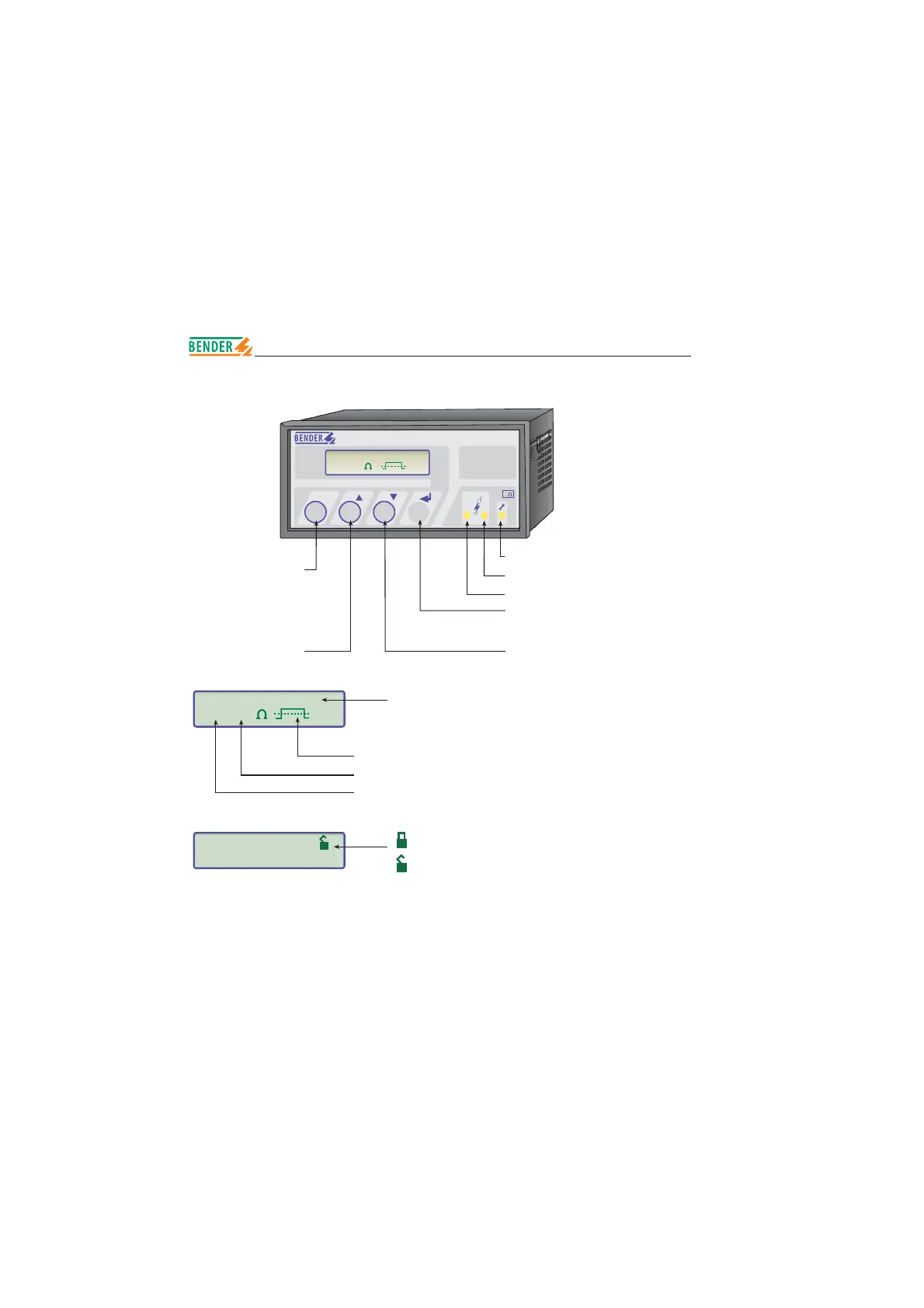
System fault indication
Info key: to query standard
information
ESC key: back to the menu
function
Alarm 2 insulation fault
Alarm 1 insulation fault
Menu key: to open the menu system
Enter key: to confirm the parameter change
Reset key: to delete fault alarm
Arrow key: parameter change, scroll
Test key: to call up the self test
Arrow key: parameter change, scroll
Messages: 1. Insulation fault
2. Connection system?
3. Connection PE ?
4. Device error x
5. *****STAND BY*****
Measuring pulse
Insulation resistance value
Point of fault + : insulation fault at L+
- : insulation fault at L-
s : new measuring value is being searched
no release for parameter change
release for parameter change
1. EXIT
2. HISTORY INFO
***IT-SYSTEM****
R +=010K
A-ISOMETER® IRDH375
INFO TEST RESET MENU
ESC
12
k
Isolation Fehler
R =010K
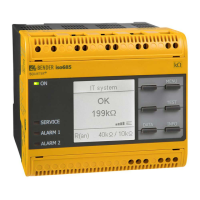
Operating features and displays IRDH375






 To Next Page