31
Menu structure
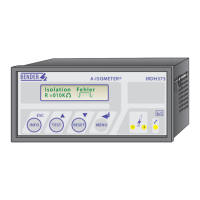
The menu structure consists of various levels, the main menu and several
sub menus. After pressing the „MENU“ key
MENU
the main menu opens. The
respective sub menu can be selected with the scroll keys. A flashing cursor
indicates which sub menu is selected. If you have reached the end of the list
of the main menu this will be indicated by „Arrow upwards“. The selected sub
menu can be opened by pressing the ENTER key
MENU
. With the scroll keys
TEST RESET
the different parameters can be selected in the submenus. Pressing the
ENTER key makes the cursor jump to the field where the parameter can be
changed. If a password is activated (the symbol “ padlock open“ on the top
right), the correct password is queried before the parameters can be changed
with the scroll keys. Once the password is entered, all parameters can be
changed as long as you stay in the menu.
Changing the parameter usually has an immediate effect on the measuring and
alarm functions. The changed parameter is stored in a non-volatile memory by
pressing the ENTER or ESC key
TEST RESET
after returning to the selection level
(flashing cursor in column 1). Clicking the ESC key
INFO
ESC
allows fast jumping
from a sub menu to the display mode without selecting the menu point EXIT.
If the main menu is called up again, another parameter change is only possible
by entering the password. If no key is pressed in a main or sub menu the system
automatically returns to the display mode after approx. 5 minutes.
During menu operations all measuring and alarm functions work normally.
Operation and setting






 To Next Page