27
Operation and setting
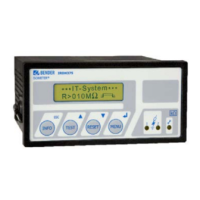
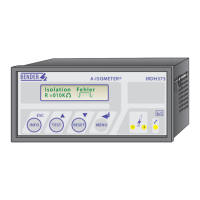
Function keys
Pressing the INFO key provides the following information
without opening the menu.
- Device name
- Firmware version
- Response values Alarm1 and Alarm2
- Leakage capacitance C
e
- Setup status numbers
(for details please refer to the table of status numbers on page 58)
- Bus address (option B)
Please have the details above on hand if you have a problem and if you
contact Bender for technical questions.
Activating the test key (TEST) automatically starts
the self-test function. Pressing the reset key (RESET)
resets insulation alarm and fault messages.
The arrow keys can either be used for parameter change or
to scroll up and down.
The menu system can be opened by pressing the menu
key. The menu system can be controlled with the arrow
keys
TEST RESET
, ENTER key
MENU
, or with the ESC key
INFO
ESC
.
TEST
to move within the scroll menu or to increase a parameter
RESET
to move within the scroll menu or to reduce a parameter.
MENU
to select a menu point, to confi rm and to store the parameter change, to
jump to the next input area
INFO
ESC
to return to the previous menu
MENU
TEST RESET
INFO
ESC






 To Next Page