Operation
36
EDS460-490_D00085_01_M_XXEN/02.2016
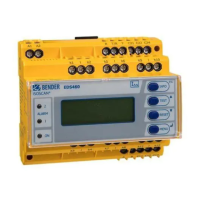
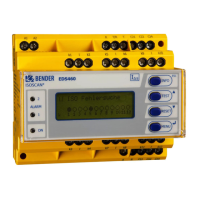
6.2 EDS…-L operating and display elements
1
Alarm LED 1 lights up in the event of the following types of
device error:
- when the residual current is: > 10 A for EDS460/490 or > 1 A for
EDS461/EDS491 (RCM function);
- when there is a loss of power or short circuit in a measuring
current transformer circuit (this function can be deactivated).
2
Alarm LED 2 lights up if an insulation fault is detected on a
measuring channel (EDS function).
3
The "ON" LED lights up when the device is switched on and fla-
shes during power on until the device is ready for operation.
4
ESC button: Exits the menu function without changing parameters.
5
TEST button: Calls up the self test.
UP button: Parameter change, scroll.
6
RESET button: Acknowledges alarm and fault messages.
DOWN button: Parameter change, scroll.
7
SET button: Sets the BMS address.
ENTER button: Confirms parameter changes.
8
Alarm-LEDs "1…12" light up if an insulation fault has been detec-
ted in the relevant measuring channel. They flash in case of inter-
ruption of a CT circuit or in case of a short circuit in a CT circuit.
9 Digital display for device address and error codes.


 To Next Page