30
Getting started
Powering on and initial setup
1. Choose a preferred location and image size as instructed in "Choosing
a location" on page 25. Make sure the ATV dongle has been installed.
See "Installing the ATV dongle" on page 28 for more details.
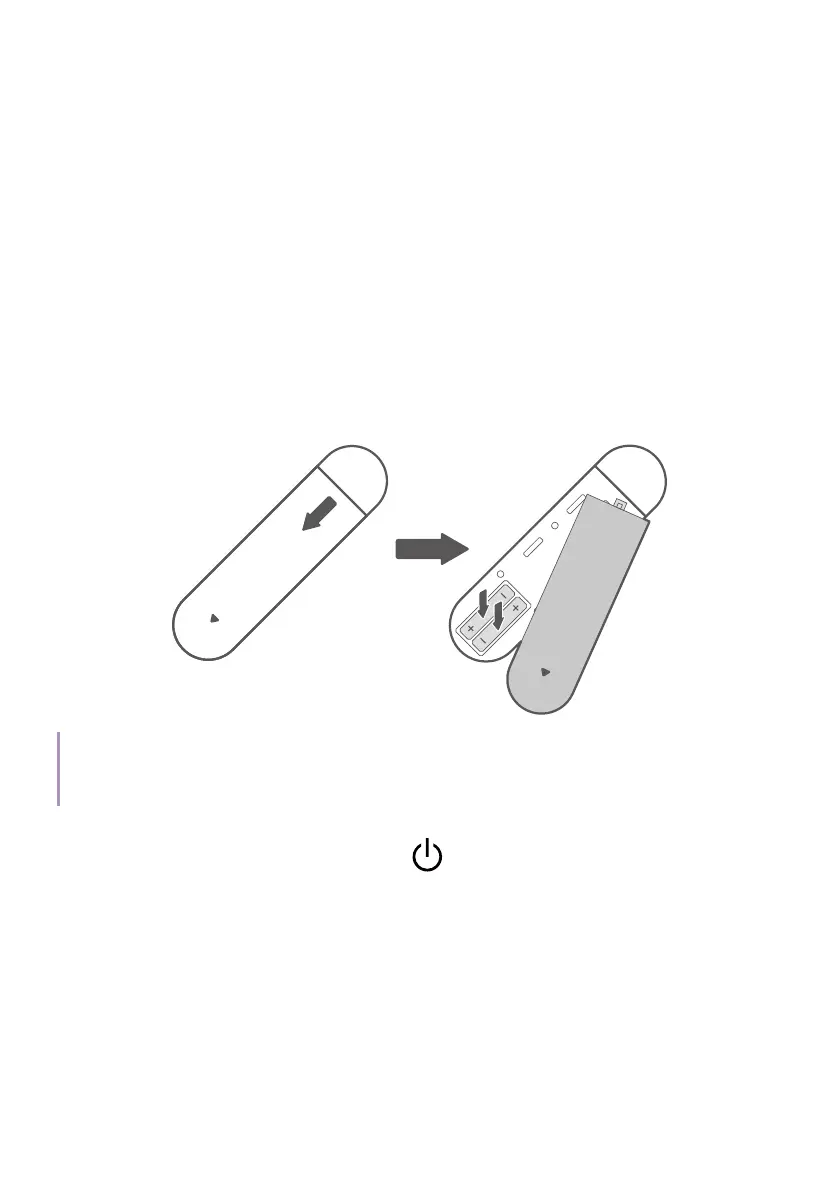
2. Install remote control batteries.
Before you can begin to use the remote control, you must install the
supplied batteries into the remote control.
• Slide the battery cover outwards.
• Insert the batteries in the orientation shown below.
• Slide the battery cover back onto the remote control.
Note
Avoid leaving the remote control and batteries in an excessively hot or humid environment like the
kitchen, bathroom, sauna, sunroom or in a closed car.
3. Connect power to the projector.
Press and hold the power button
on the projector or the remote
control for 1 second. The power LED will flash green slowly.



 To Next Page