35
Adjusting the projected image
Optimizing the projected image
automatically (Smart Auto Settings)
As the projector is portable/movable, you might want to move the projector
to a desired place to meet your scenario. With Smart Auto Settings, you
don't need to go through each picture setting manually for adjustment.
1. To optimize the projected image quickly and automatically, go to
Smart Auto Settings on your projector.
2. Set Auto Focus and Auto 2D Keystone settings to On. The effective
distance from the projection lens to the screen is 3.2 meters.
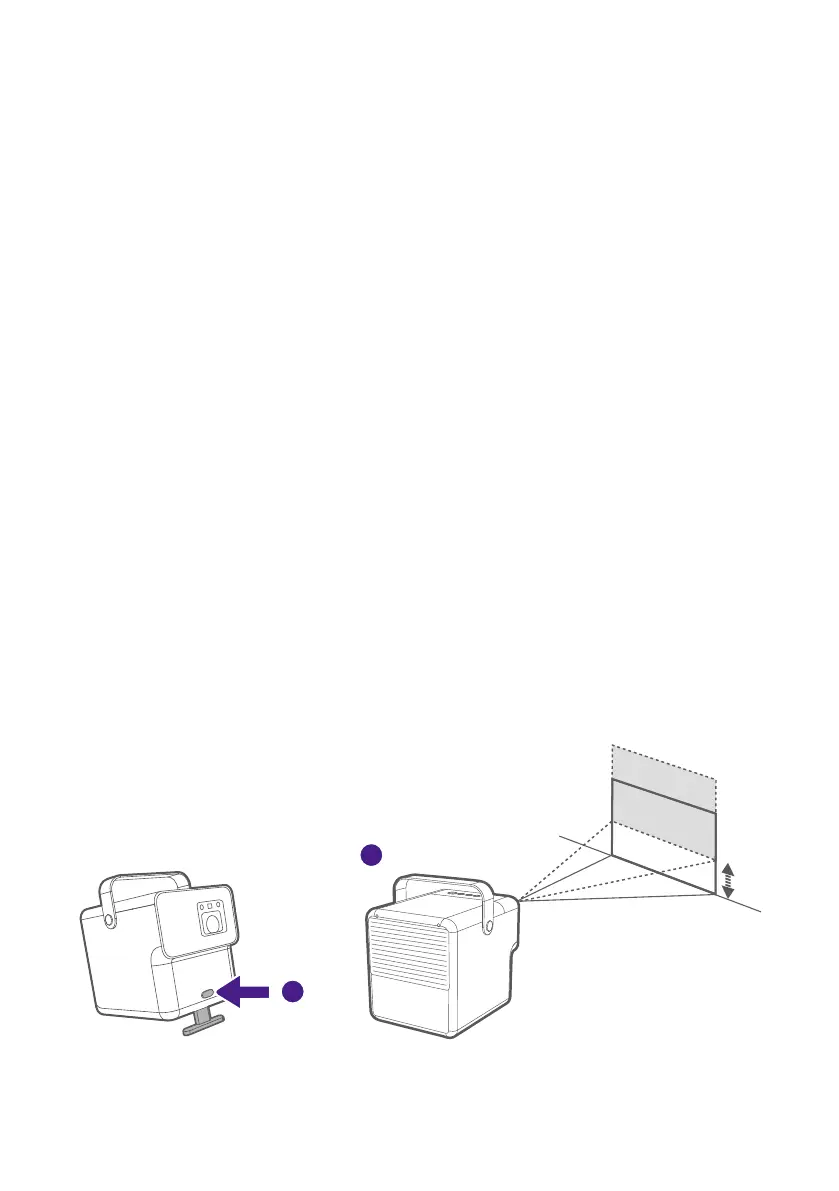
Adjusting the projection angle
The button of adjustable kickstand allows you to adjust the projection
angle.
To adjust the projection angle:
1. Lift the front of the projector and press the button of adjustable
kickstand.
2. Adjust the appropriate projection height and place the projector
horizontally.
To retract the adjustable kickstand, press the button, then slowly lower the
projector.
1
2



 To Next Page