English
21
Installation
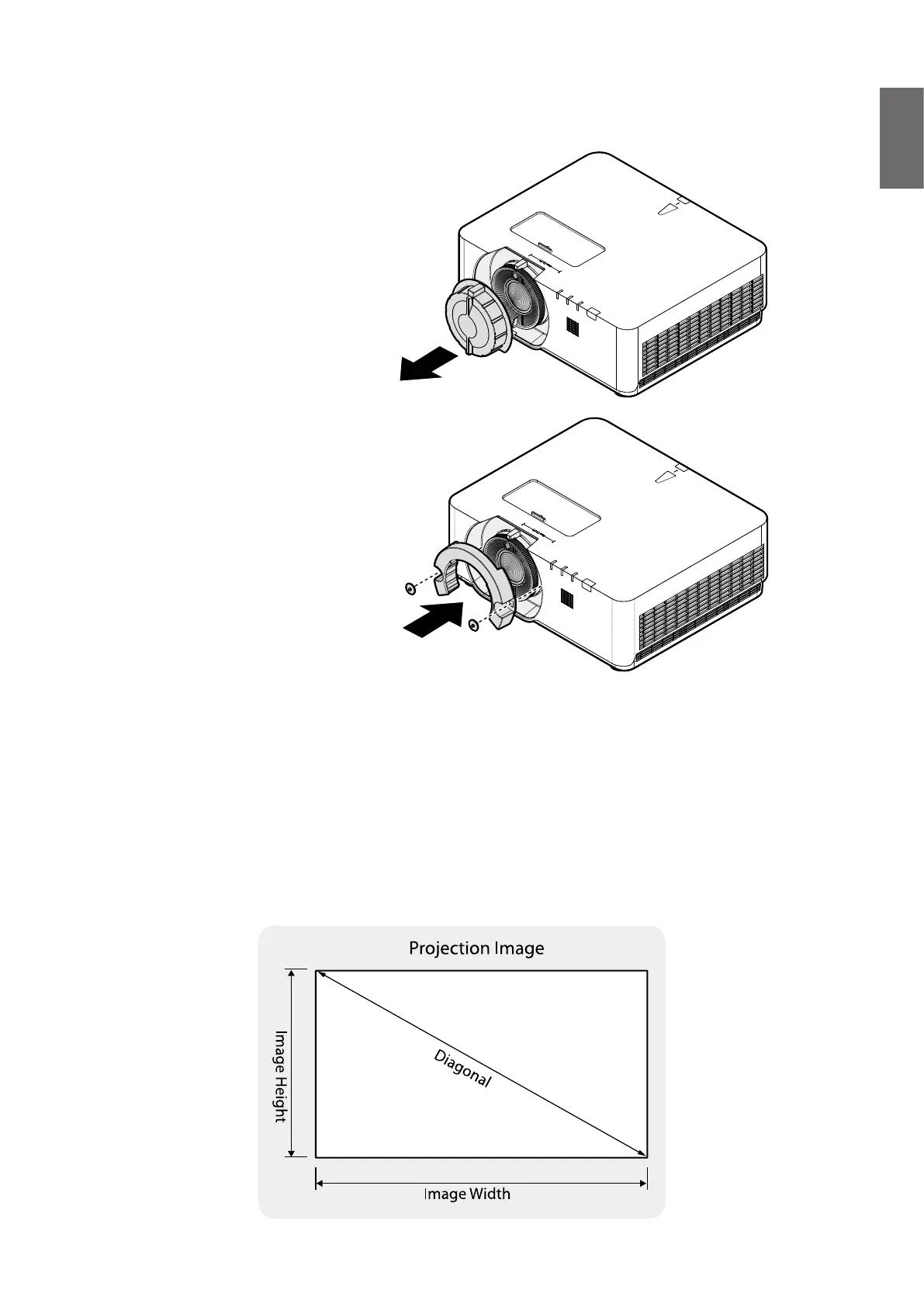
Lens Cap / Lens Lock
1. Remove lens cap before booting.
2. Install lens lock
3. Secure with screws, do not fully tighten
4. Adjust the focus
5. Tighten the screws
Evaluate for distance by image size
Obtaining a preferred projected image size
The distance from the projector lens to the screen, the zoom setting (if available), and the
video format each factors in the projected image size.
Projection dimensions
Refer to "Dimensions" on page 68 for the center of lens dimensions of this projector before
calculating the appropriate position.



 To Next Page