English
42
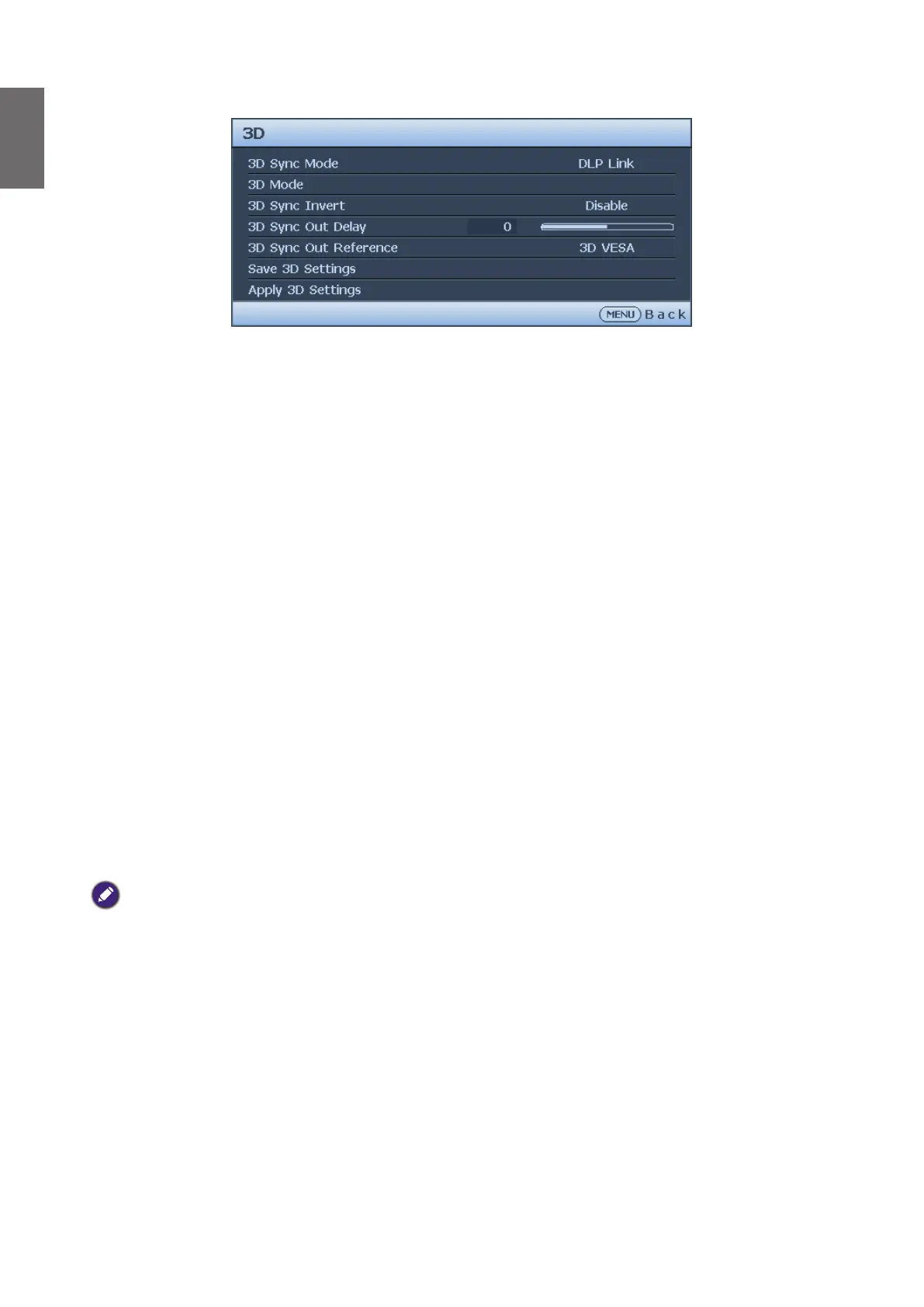
3D menu
• 3D Sync Mode
Press
◄
/
►
to select the 3D sync mode. The options are DLP Link and VESA 3D.
• 3D Mode
Press ENTER to enter the 3D Mode menu. Press
▲
/
▼
to select the 3D format. The options
are Auto, Top-Bottom, Frame Sequential, Frame Packing, Side-By-Side and Off.
• 3D Sync Invert
Press
◄
/
►
to enable or disable 3D Sync Invert.
• 3D Sync Out Delay
Press
◄
/
►
to adjust 3D sync out signal delay.
• 3D Sync Out Reference
Press
◄
/
►
to select the 3D sync out behavior. The options are 3D VESA and Bypass to
another projector.
• Save 3D Settings
Press ENTER to enter the Save 3D Settings menu. Press
▲
/
▼
and ENTER to save the
current 3D settings.
• Apply 3D Settings
Press ENTER to enter the Apply 3D Settings menu. Press
▲
/
▼
and ENTER to apply the
saved 3D settings.
Fast Mode
Minimizing the response time (one frame) between the source input and the image output, this
mode will enhance the controlling experience.
When using Fast Mode:
• In order to have minimized response time, Keystone, Aspect Ratio, 2D Keystone, Corner Fit,
Digital Zoom, Digital Shrink, Digital Image Shift, Blanking, Overscan, Display Resolution should
be reset to factory preset value.
• Recommend timings are 1920x1200 60Hz. See "Timing table" on page 69 for more details.



 To Next Page