English
43
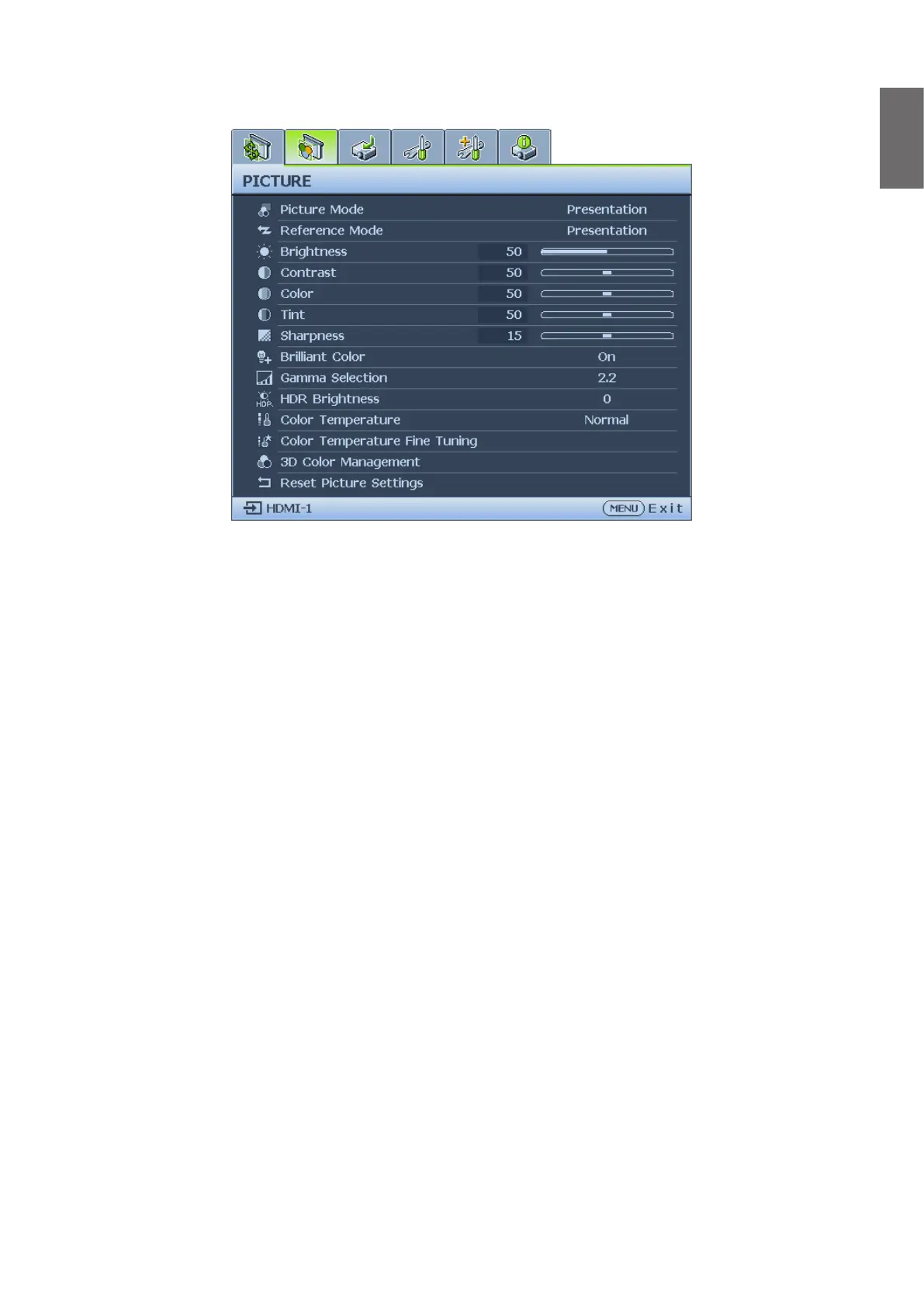
Picture menu
• Picture Mode
Press
◄
/
►
to select a picture mode. The options are Bright / Presentation / sRGB/Infographic
/ Video / DICOM SIM / (3D)/(HDR10) / (HLG) / User 1 / User 2.
• Bright mode: Maximizes the brightness of the projected image. This mode is suitable for
environments where extra-high brightness is required, such as using the projector in well lit
rooms.
• Presentation mode: Is designed for presentation. The brightness is emphasized in this
mode to match PC and notebook coloring.
• sRGB mode: Maximizes the purity of RGB colors to provide true-to-life images regardless
of brightness setting. It is most suitable for viewing photos taken with an sRGB compatible
and properly calibrated camera, and for viewing PC graphic and drawing applications such
as AutoCAD.
• Infographic: Is perfect for presentations with the mixture of text and graphics due to its
high color brightness and better color gradation to see the details clearly.
• Video: Is suitable for playing videos in an environment where there is ambient light.
Dynamic color details are preserved by BenQ enhancement technology.
• DICOM SIM: This display mode simulates the grayscale/gamma performance of equipment
used for “Digital Imaging and Communications in Medicine” (DICOM).
Important: This mode should NEVER be used for medical diagnosis, it is for education/
training purposes only.
• 3D mode: Is appropriate for playing 3D images and 3D video clips. This mode is only
available when 3D function is enabled and 3D content is detected.
• HDR10 mode: Only available when detecting HDR10 content, other picture mode can’t
be selected
• HLG mode: Only available when detecting HLG content, other picture mode can’t be
selected
• User 1/User 2 mode: Recalls the settings customized based on the current available
picture modes.



 To Next Page