USER HANDBOOK 2.0 | DC20XX, ET20XX, ECC21XX SLIM
Berghof Automation GmbH | Harretstrasse 1 | 72800 Eningen | www.berghof.com
Dialog-Controller-DC20XX_EN.docx
8. Uninstallation
8.1. Uninstallation, DC20XX and ET20XX
1st Disconnect the device and its peripherals from the power supply.
2nd Unplug all plug connectors and cables.
3rd Device with twist-lock catches: Using a T9x50 screwdriver, fully open the twist-lock catches and turn
them anti-clockwise to the stop.
Damage to the device!
If uninstallation is performed carelessly the device can fall out of the installation
cut-out or be damaged.
Do not tilt the device.
Secure the device against falling, especially when taking it out of the
installation cut-out.
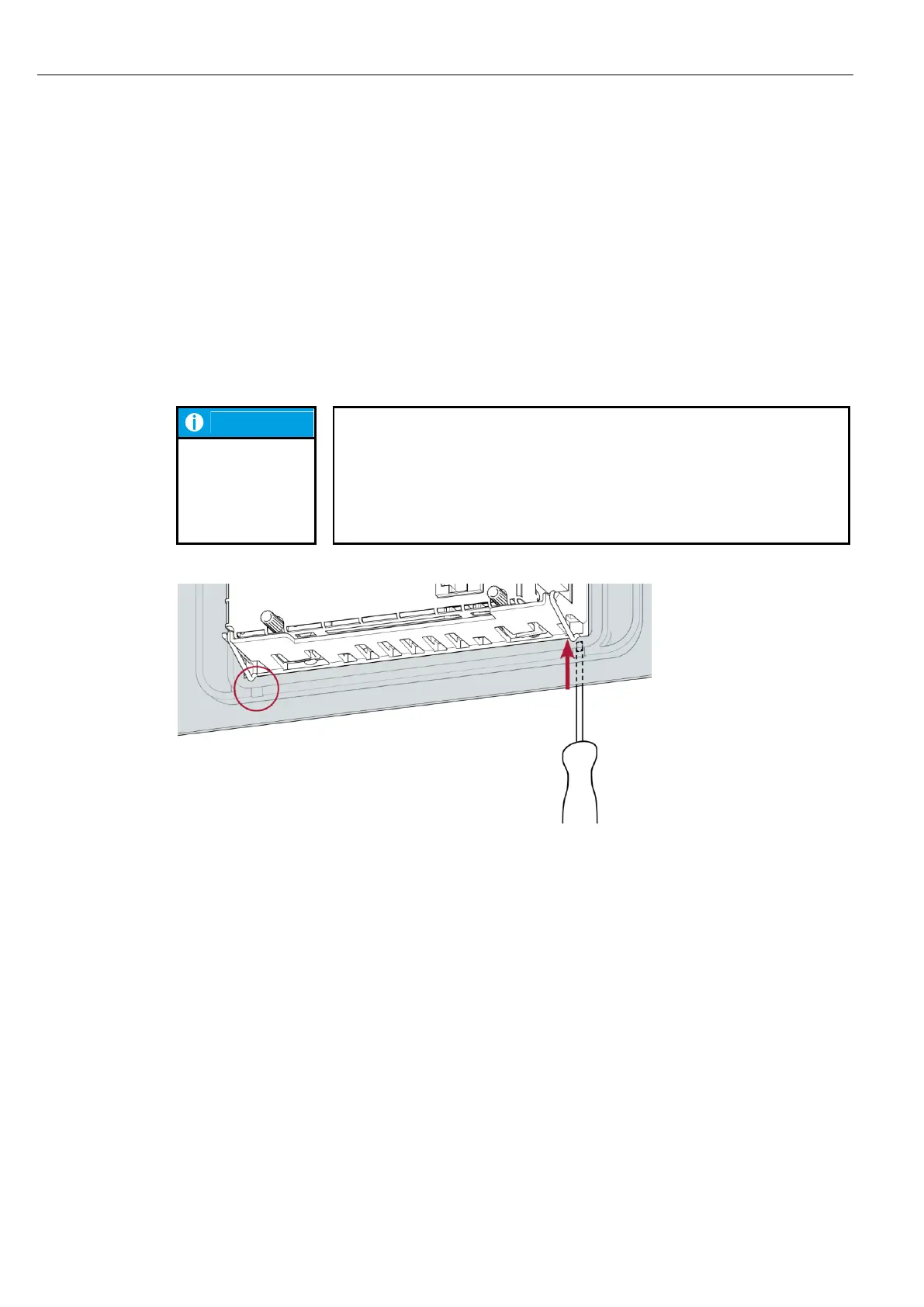
Fig. 48: Undo the securing clips
4th Using a slotted screwdriver (blade 3–3.5 mm) undo the securing clips.
DC2004 and ET2004: 4 securing clips (2 at the bottom, 2 at the top)
DC2007 and ET2007: 6 securing clips (3 at the bottom, 3 at the top)
5th Push the device sufficiently far out of the installation cut-out that the securing clips are no longer
engaged.



 To Next Page