Instruction Manual
3535
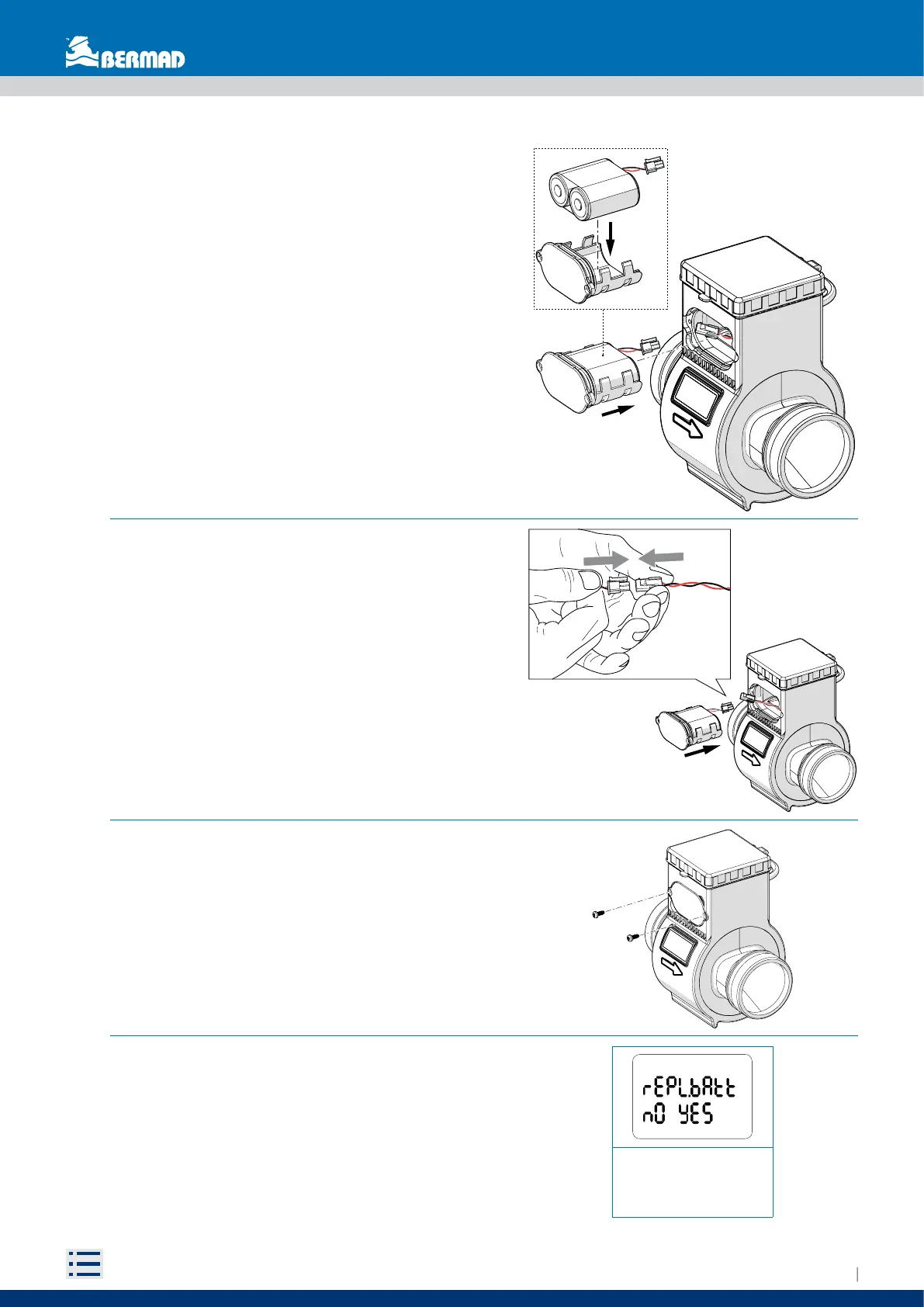
Replace battery:
-NO: do nothing
-YES: swipe the magnet
3- Place the battery pack in its housing
4- Connect the battery wire
6- Once the battery has been replaced swipe the
magnet to say YES
(for more information see chapter 5.2 FIRST ACTIVATION)
5- Close the battery compartment and
tighten the screws (2.5Nm max)


 To Next Page