M10
Instruction Manual
38
5.3 USER INTERFACE
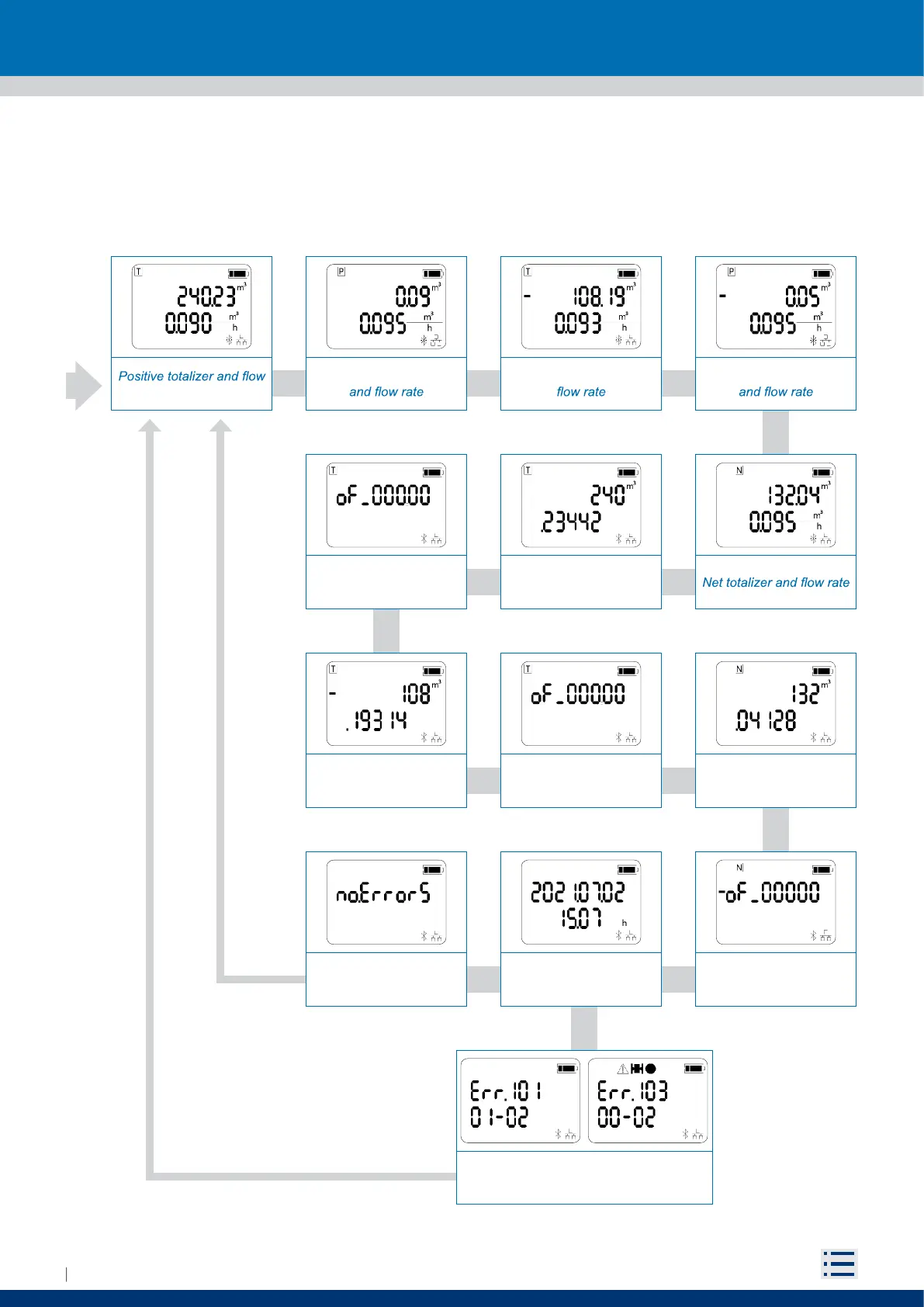
Measurement views displays totalizer and flow rate.
To change the view, bring the magnet closer to the reed for 1 second and then move it away.
Thirteen configurations are available:
Partial positive totalizer
rate
Negative totalizer and Partial negative totalizer
Error list with error
Extended positive totalizer
roll-over
Extended negative
totalizer value
Error list without error
Extended positive totalizer
value
Extended negative
totalizer roll-over
Date - time
Extended net totalizer
value
Bootloader checksum and
version


 To Next Page