Instruction Manual
3939
5.4 DISPLAY TEST
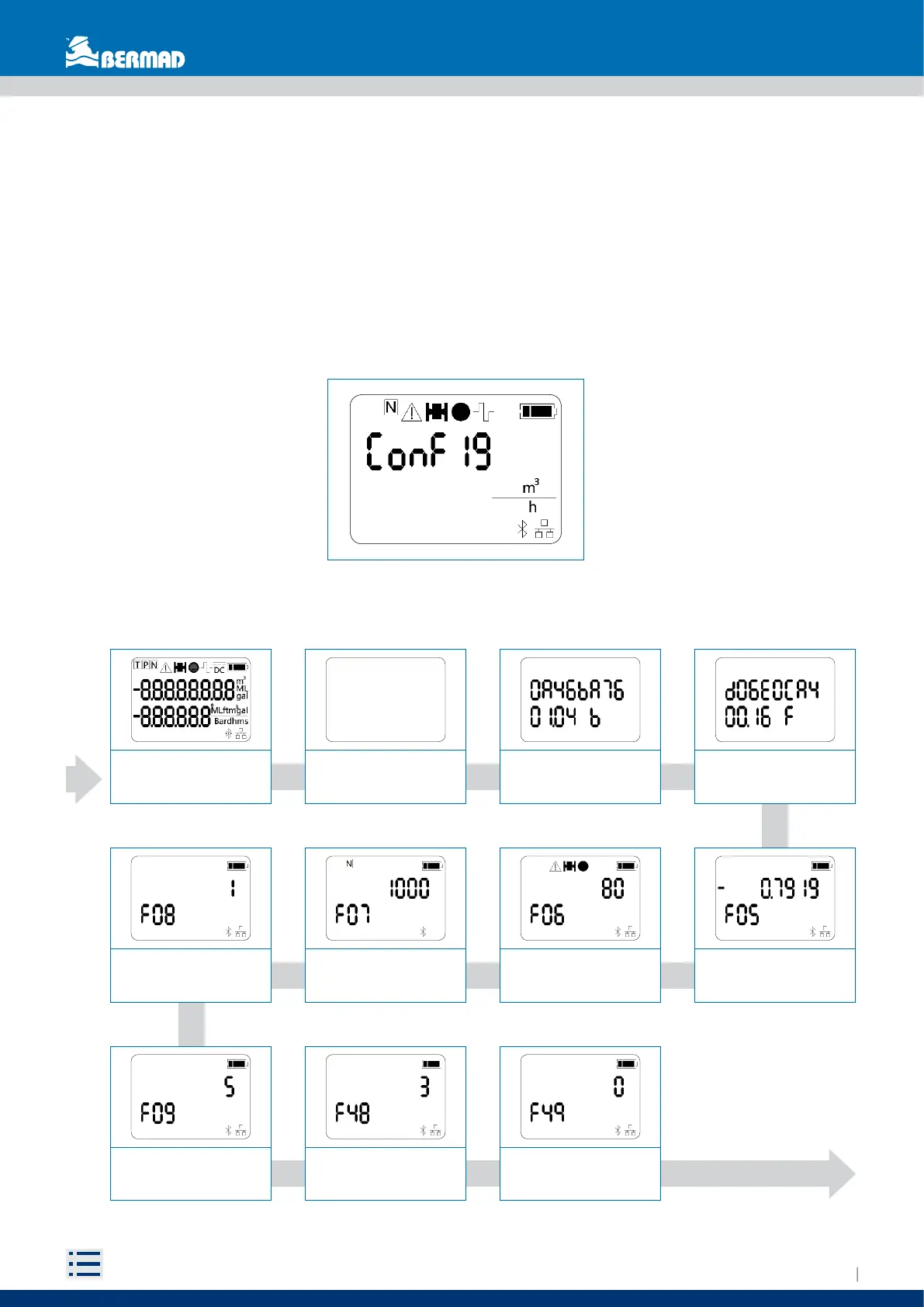
The LCD display integrity can be checked by the converter settings menu (functions, see chapter 5.5), by
resetting the device (see chapter 5.10) or at the first activation (see chapter 5.2); all the display segments
will be activated and cleared in sequence. Also, the firmware version / revision (vv.rr) and its checksum
are displayed. When completed, the previous measurement screen will be restored.
5.5 FUNCTIONS
This view displays the converter’s settings.
To activate this view, bring the magnet closer to the reed until it appears (5 seconds) and then move it away.
A sequence of 16 views will be displayed (view’s duration is 5 sec), to interrupt the scrolling and came back
to measure view, bring the magnet closer to the reed for 5 second and then move it away.
Test LCD “ALL OFF”
Test LCD “ALL ON”
Bootloader checksum and
version
Firmware checksum and
version
Impulse volume
(Function 07)
Impulse technique unit
index (Function 08)
Baudrate RS485
(Function 48)
Impulse length
(Function 09)
Diameter (Function 06)
Data bit number
(Function 49)
Ka (Function 05)
Test LCD “ALL OFF”
Test LCD “ALL ON”
Bootloader checksum and
version
Firmware checksum and
version
Impulse volume
(Function 07)
Impulse technique unit
index (Function 08)
Baudrate RS485
(Function 48)
Impulse length
(Function 09)
Diameter (Function 06)
Data bit number
(Function 49)
Ka (Function 05)


 To Next Page