EasyManua.ls Logo

BERMAD M10 - Page 40

BERMAD M10
55 pages
Print Icon
To Next Page IconTo Next Page
To Previous Page IconTo Previous Page
Loading...
M10
Instruction Manual
40
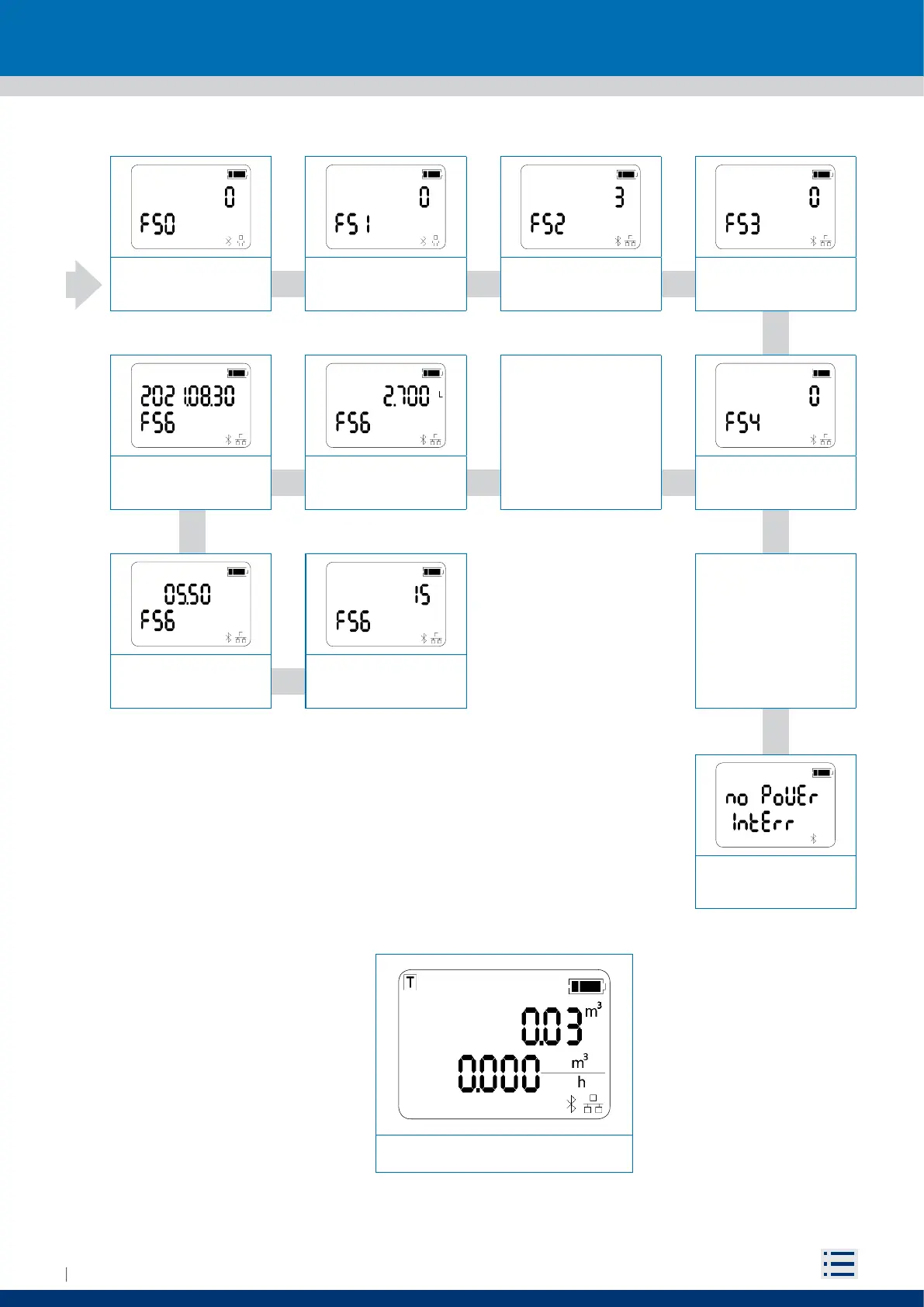
To came back to measure view, bring the magnet closer to the reed for 5 second and then move it away.
A list of all the accessible functions from the user interface follows
Bit stop RS485
(Function 51)
Parity RS485
(Function 50)
Totalizer lost
(Function 56)
Date of interruption
(Func tion 56)
Modbus byte order
(Function 53)
Modbus byte order
(Function 53)
Interruption duration
Time of interruption
Otherwise this message
will be displayed
If power interruption has
been detected will be
displayed a sequence of
4 views (view’s duration
is 3 sec)
Modbus map
(Function 54)
Measure view
Bit stop RS485
(Function 51)
Parity RS485
(Function 50)
Totalizer lost
(Function 56)
Date of interruption
(Func tion 56)
Modbus byte order
(Function 53)
Modbus byte order
(Function 53)
Interruption duration
Time of interruption
Otherwise this message
will be displayed
If power interruption has
been detected will be
displayed a sequence of
4 views (view’s duration
is 3 sec)
Modbus map
(Function 54)
Measure view