Setting up the machine
32
2020-09 EN 5040064.00A.04
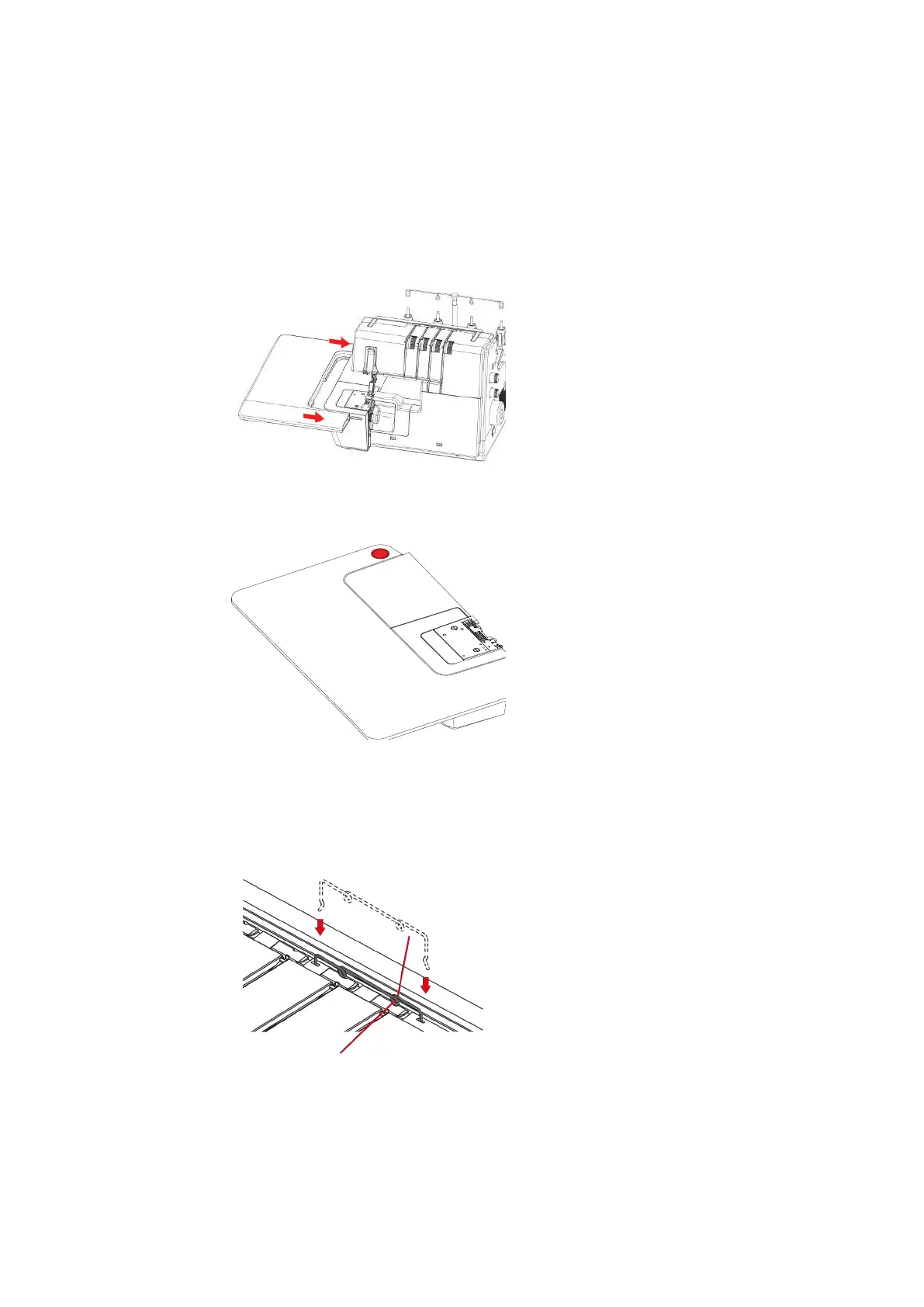
Attaching/removing the Slide-on Table
The Slide-on Table increases the sewing surface, especially helpful with larger sewing projects.
Prerequisite:
• Freearm Cover is attached.
> To attach the Slide-on Table, push the Slide-on Table along the Guide Rails from the left until it engages.
> To remove the Slide-on Table, press the Release Mechanism (1) of the Slide-on Table and pull the Slide-
on Table to the left.
Attaching the Decorative Threads Guide
> Tension the Decorative Threads Guide slightly and hook it into the left and right recesses in the machine
cover.
> Thread the thread through the Thread Guide Eyelet and insert it along the thread path between the
Thread Tension Discs.
Fitting with thread already inserted
> Pull the thread out of the Thread Pretension.
> Attach one end of the Decorative Threads Guide.
> Thread the thread into the Decorative Threads Guide.
> Attach the second end of the Decorative Threads Guide.



 To Next Page