22
Display Explanation & Operating Functions
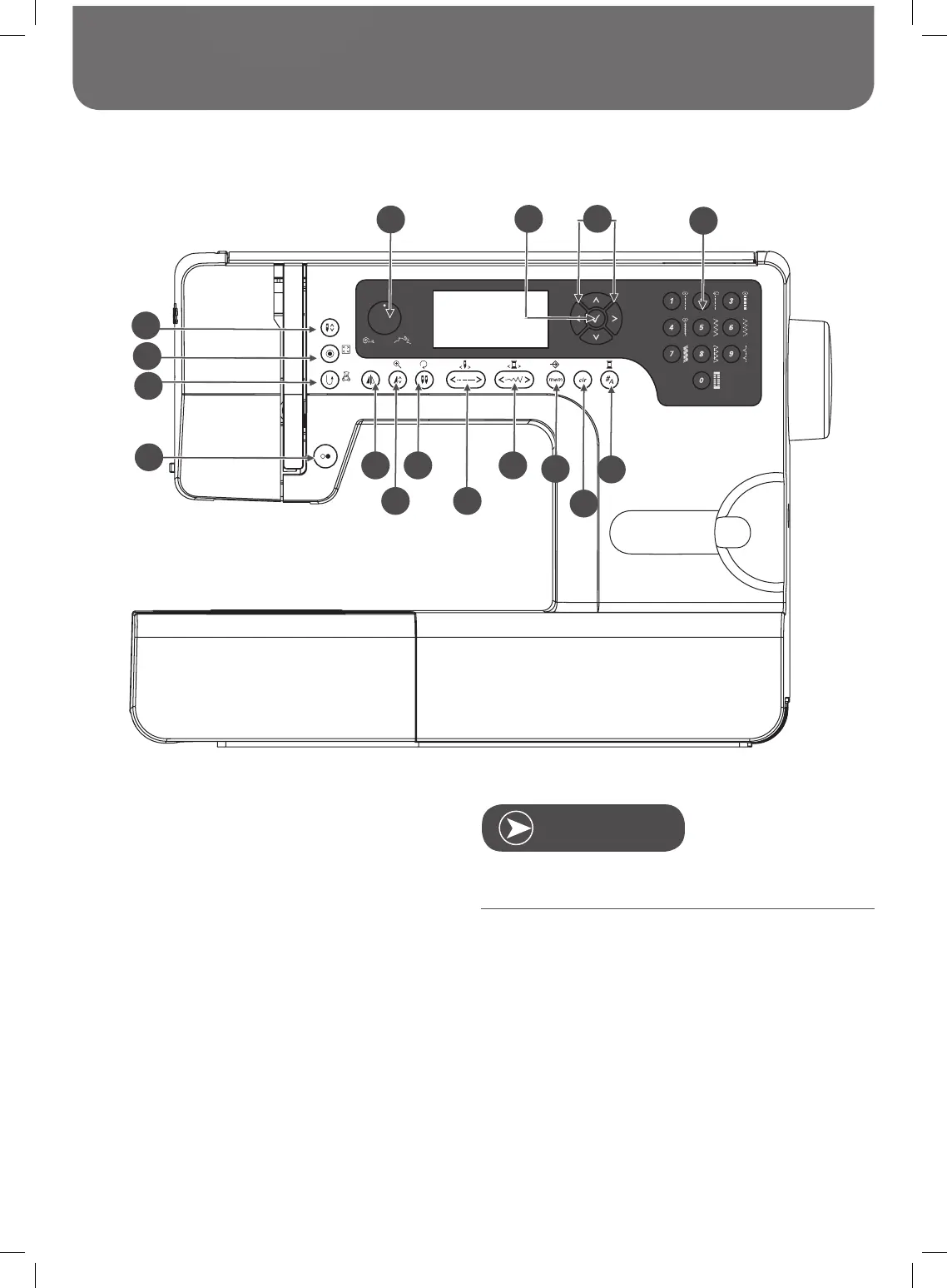
Buttons Explanation
1 Start/Stop button
2 Reverse/Exit button
3 Auto-lock/Trace button
4 Needle up/down button
5 Speed dial
6 OK button
7 Arrow buttons
8 Direct pattern selection and Number buttons
9 Mirror image button
10 Elongation/Resize button
11 /Rotate button
12 Stitch length adjustment/Stitch forward/back button
13 Stitch width adjustment/Colour forward/back button
14 Memory/Setup button
15 Clear/Return button
16 Pattern group selection/Colour setup button
The icon on the button is for sewing mode, and the icon on
the side of the button is for embroidery mode.
1
3
4
2
5
6
7
8
9
11 13
14
16
10 12
15
Twin needle



 To Next Page