37
Basic Sewing Procedures
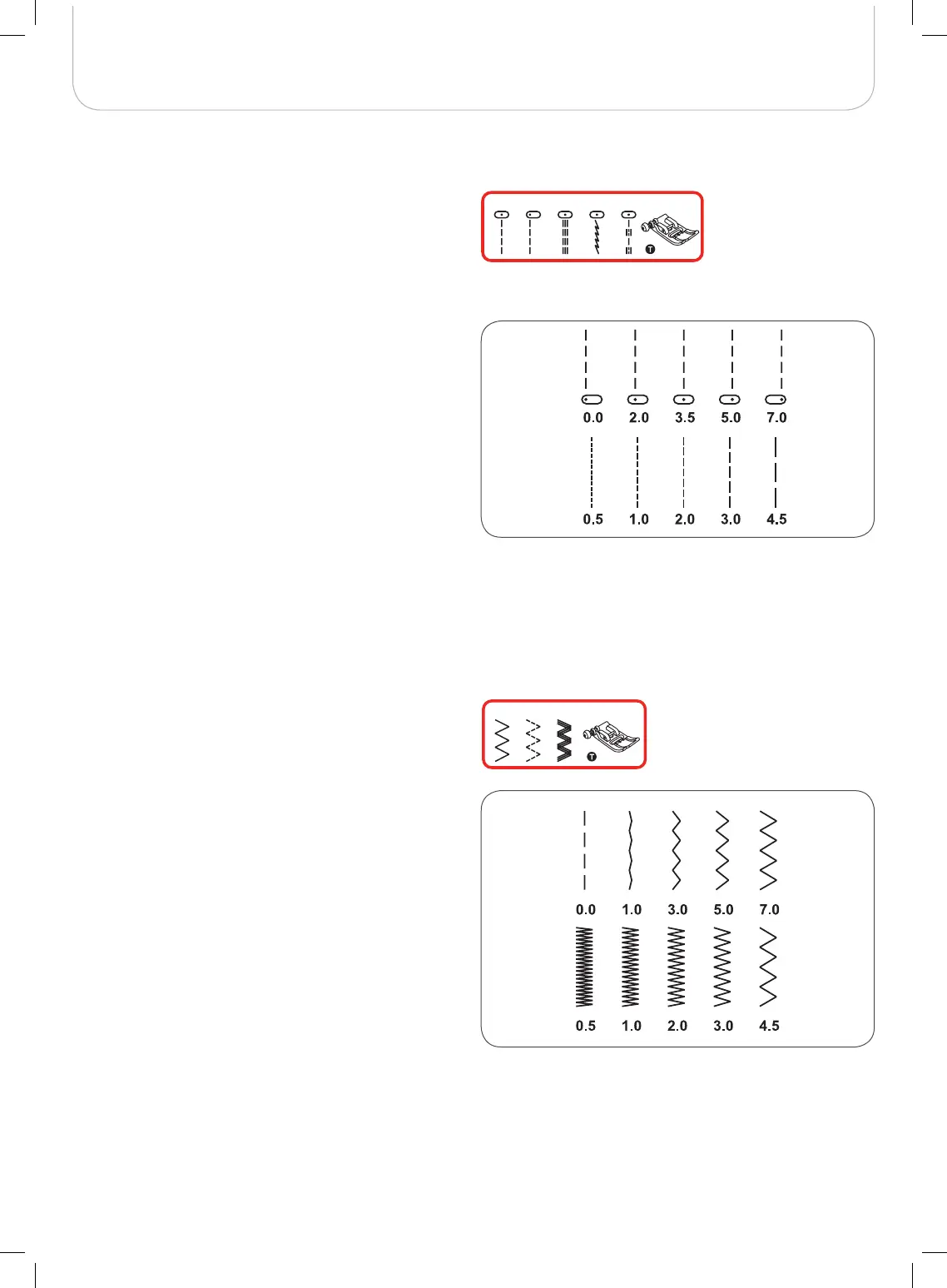
Straight Stitches and Needle Position
Zig-zag Stitches
Changing the needle position
These settings apply to the Direct Group Pattern 1-4 and the
A Group Pattern 00 only.
The pre-set position is «3.5», center position.
• Press the stitch width button to enter the stitch width
adjustment mode.
• When you turn the selector wheel counter-clock-
wise, the needle position will move to the left.
• When you turn the selector wheel clockwise, the
needle position will move to the right.
Altering the stitch length
• Press the stitch length button to enter the stitch length
adjustment mode.
• To shorten the stitch length, turn the selector
wheel counter-clockwise.
• For a longer stitch length, turn the selector wheel
clockwise.
In general, the thicker the fabric, thread and needle, the longer
the stitch should be.
Altering the stitch width
The maximum zig-zag stitch width for zig-zag stitching is
«7.0»; however, the width can be reduced with any patterns.
• Press the stitch width button to enter the stitch width
adjustment mode,
– the stitch width can be altered from «0.0 to
7.0mm».
Altering the stitch length
The density of zig-zag stitches increase- as the setting of
stitch length approaches «0.3».
Neat zig-zag stitches are usually achieved at «1.0-2.5».
Closed up zig-zag stitches (close together) look like satin
stitches.
4 A-0012
3
56
7



 To Next Page