66
Special Functions
Elongation
A-15 A-16 A-17 A-18 A-19 A-20 A-21 A-22 A-23 A-24
A-25 A-26A27 A-28 A-29
A-30
A-31
A-32
A-33
A-34 A-35 A-36
31-A41-A
A-15 A-16 A-17 A-18 A-19 A-20 A-21 A-22 A-23 A-24
A-25 A-26A27 A-28 A-29
A-30
A-31
A-32
A-33
A-34 A-35 A-36
31-A41-A
A-15 A-16 A-17 A-18 A-19 A-20 A-21 A-22 A-23 A-24
A-25 A-26A27 A-28 A-29
A-30
A-31
A-32
A-33
A-34 A-35 A-36
31-A41-A
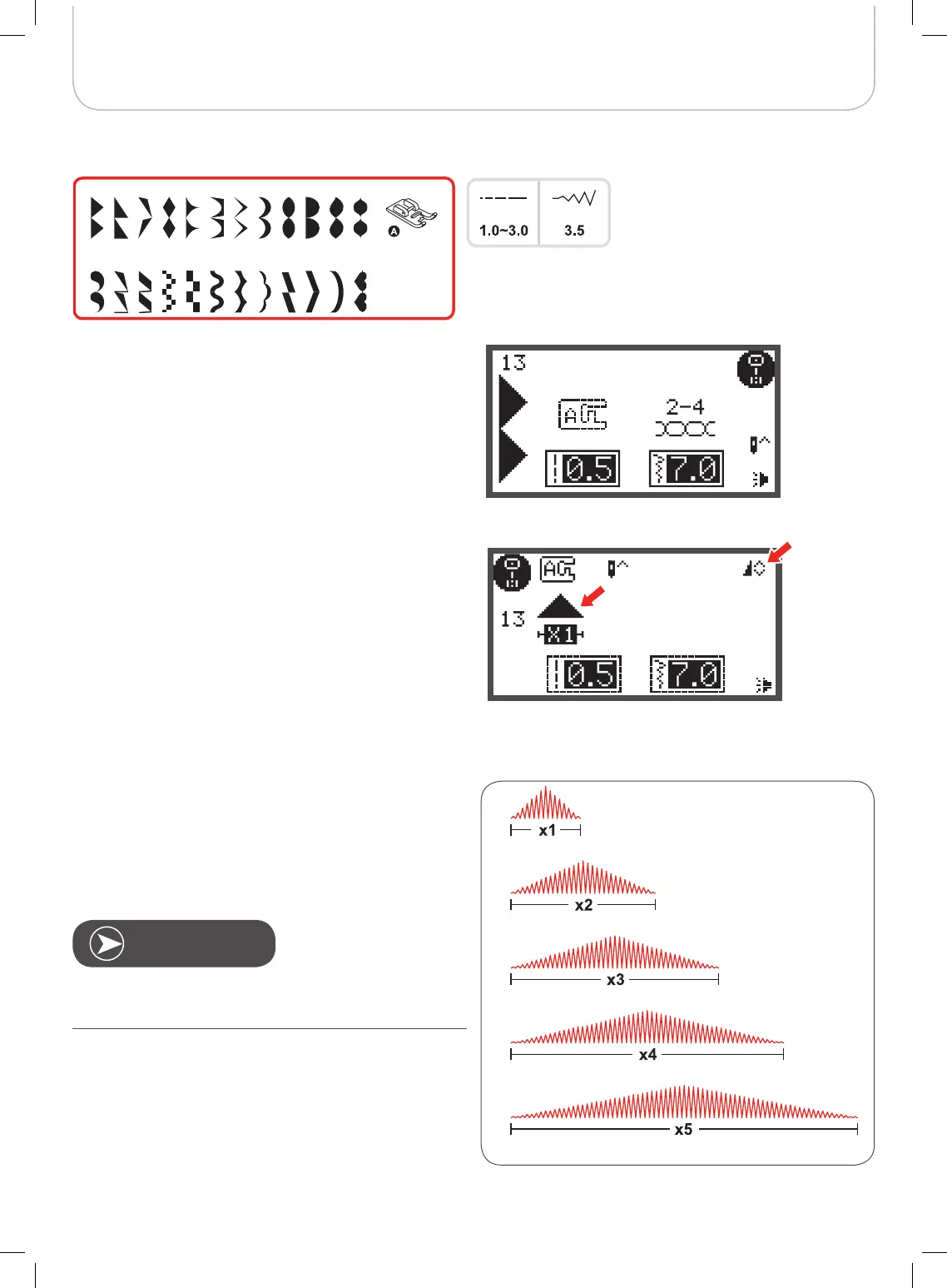
A Group Patterns 13-36 can be elongated and mirrored
simultaneously.
The stitch can be elongated up to five times its normal length
by pressing the elongation button.
• Select the desired pattern.
• Press the elongation button.
– The symbol for elongation appears on the LCD
display.
• Press the elongation button several times to adjust the
elongation as desired.
• The machine will continue to sew the displayed pattern
until the elongation button is pressed again or the pat-
tern is changed.
When the width or length of the stitch is changed, a larger
variety of patterns are available.



 To Next Page