25
Display Explanation & Operating Functions
Function Buttons
Start/Stop button
Reverse
Auto-Lock
• Press the Start/Stop button to start the machine.
• Press again to stop it. The machine will move slowly at
the start of sewing.
– This way you may operate the machine without foot
control.
Reverse is pressed to sew in reverse.
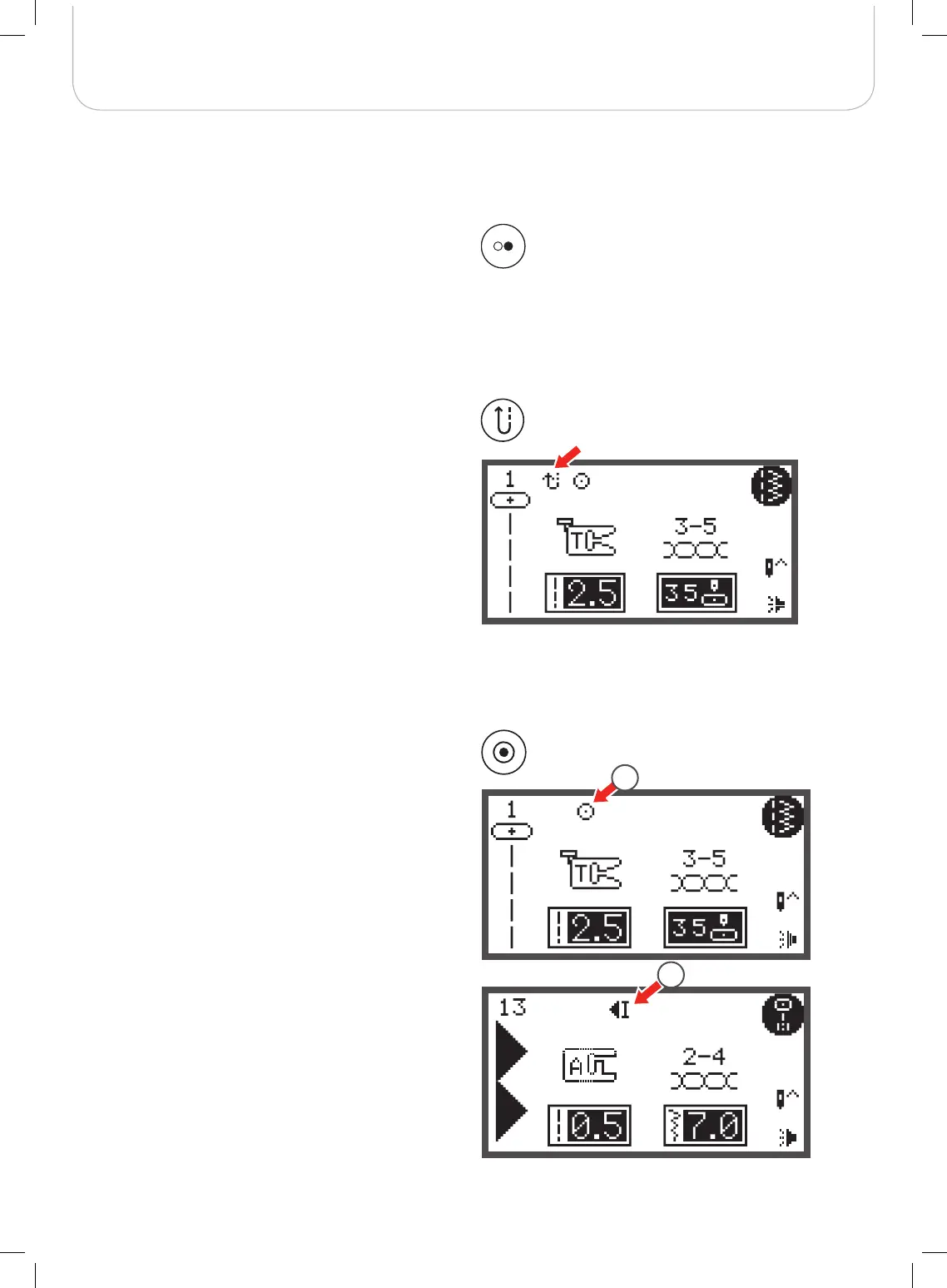
The icon «Reverse» on the LCD indicates reverse sewing.
Only the Direct Group Patterns 1 – 5 and A Group Patterns
00 can be sewn in reverse.
• If you press the Reverse/Exit button before starting to
sew
– the machine will permanently sew in reverse. Press
the button again to sew forward.
• If you press the reverse button during sewing
– it will sew in reverse as long as the reverse buttons
is pressed.
are selected, the machine will immediately sew 3 securing
stitches when the Auto-Lock button is pressed, then it will
stop automatically.
1 The LCD display shows the symbol until the machine is
stopped.
press the Auto-Lock button, the machine will sew
3 securing stitches at the end of the current pattern and then
stop automatically.
2 The LCD display shows the symbol until the machine is
stopped.
The function will be cancelled if you press the button once
again or select another pattern.
1
2
When the Direct Group Patterns 1-4 and A Group Patterns 00
Except for Direct Group Patterns 0-4 and A Group Patterns
00, 86-99,



 To Next Page