27
Display Explanation & Operating Functions
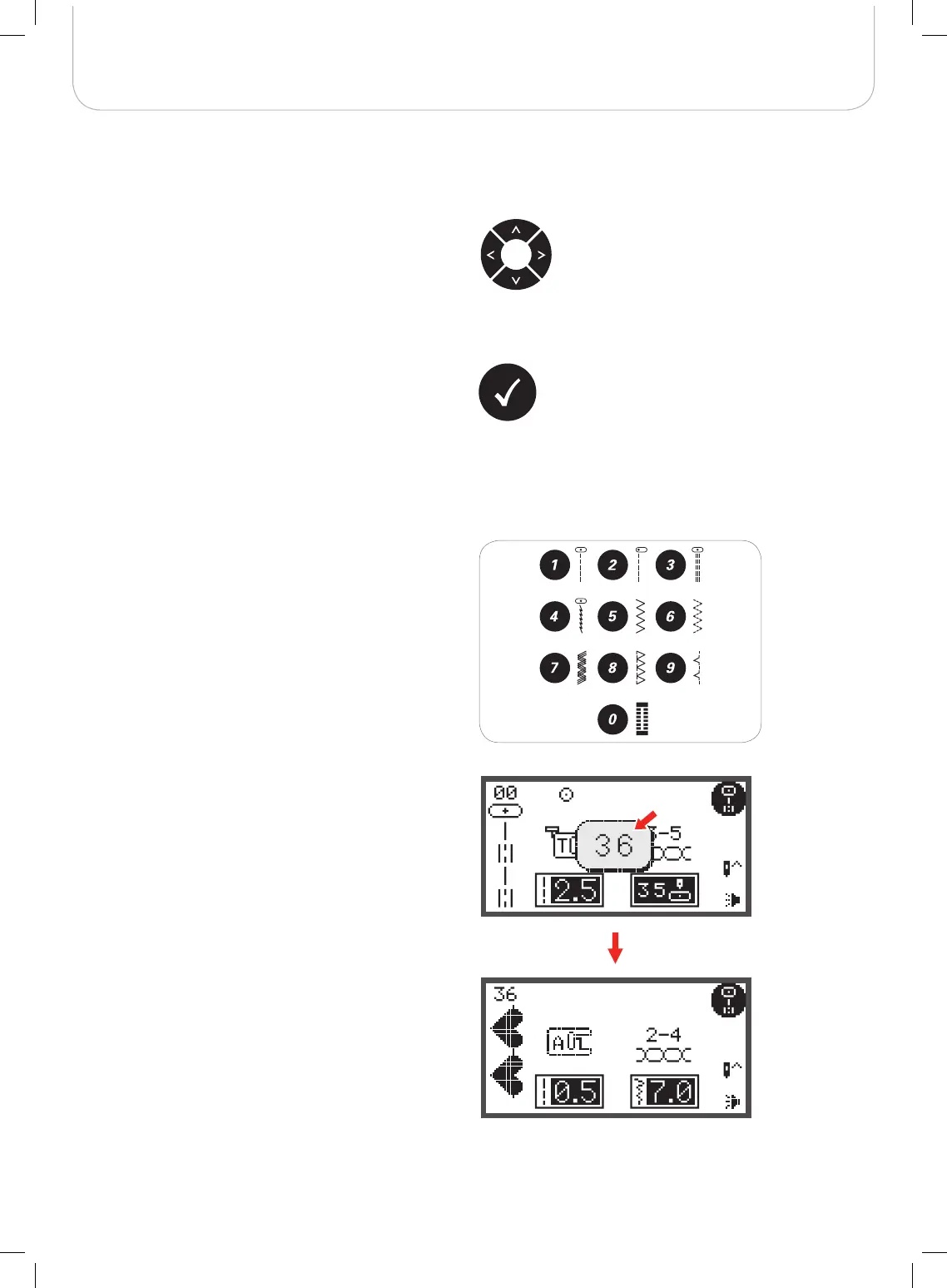
Direct pattern selection
• Press the buttons to select the practical stitch patterns
shown beside the numbers when the Direct Mode is
set.
Number buttons
• Press the buttons to select the practical stitch patterns
at set Pattern Group directly.
Arrow buttons
Use the buttons to select desired pattern, function… etc.
OK button
• Press this button to confirm the selection.
– In the Normal Mode press the button to enter the
pattern browser.
– In the Memory Mode press the button to enter the
pattern browser.



 To Next Page