75
Special Functions
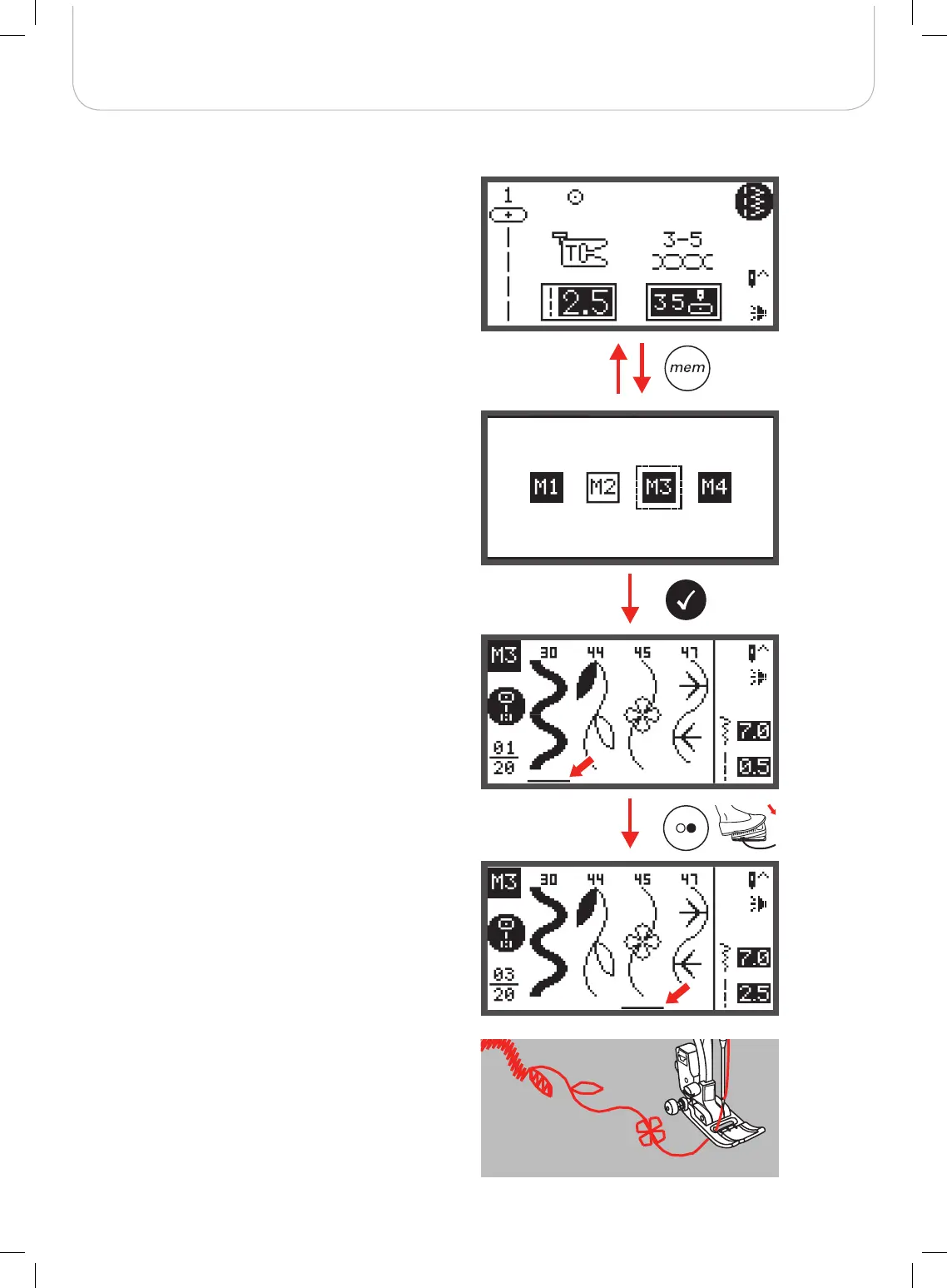
Switch from Memory Mode to the Normal Mode
Sew memorized patterns
When Memory Mode is active.
• Press the memory button to leave the Memory Mode
and return to the Normal Mode.
• Press the memory button to enter the Memory Mode.
• Use the arrow buttons to choose the desired Memory
file.
• Press OK button to enter the selected Memory file.
– The cursor stays at the first position.
• Press the Start/Stop button or touch the foot control to
sew the stored stitches.



 To Next Page