81
Special Functions
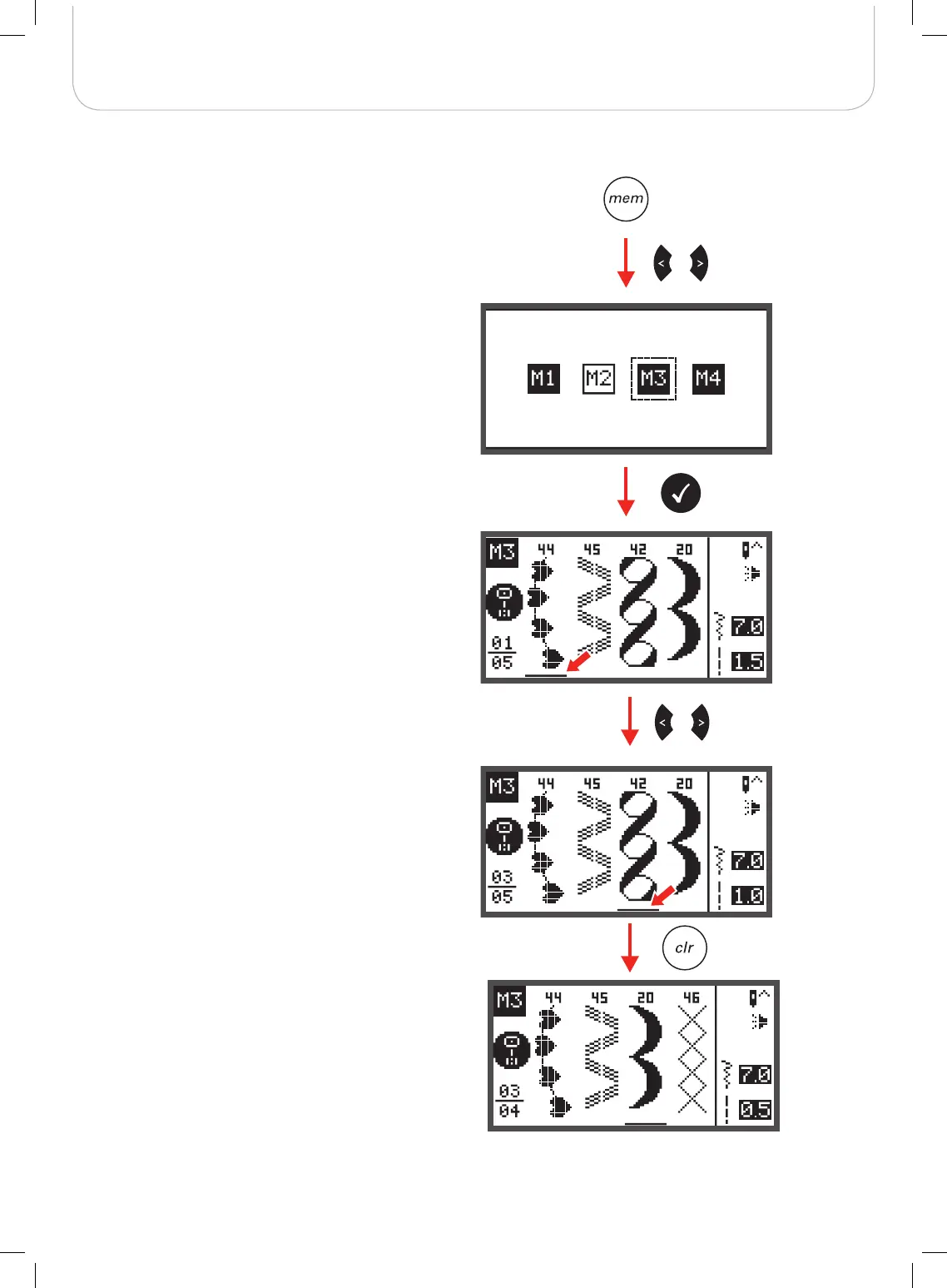
Memory Editing functions - Delete a stored stitch
• Press the memory button to enter the Memory Mode.
• Use the arrow buttons to choose desired Memory file.
• Press the OK button to enter the selected Memory file.
– The cursor stays at the first position.
• Use the arrow buttons to select the stitch that should
be deleted.
• Press the clr button to delete the pattern and all pat-
terns that come next will move one position forward.



 To Next Page