80
Special Functions
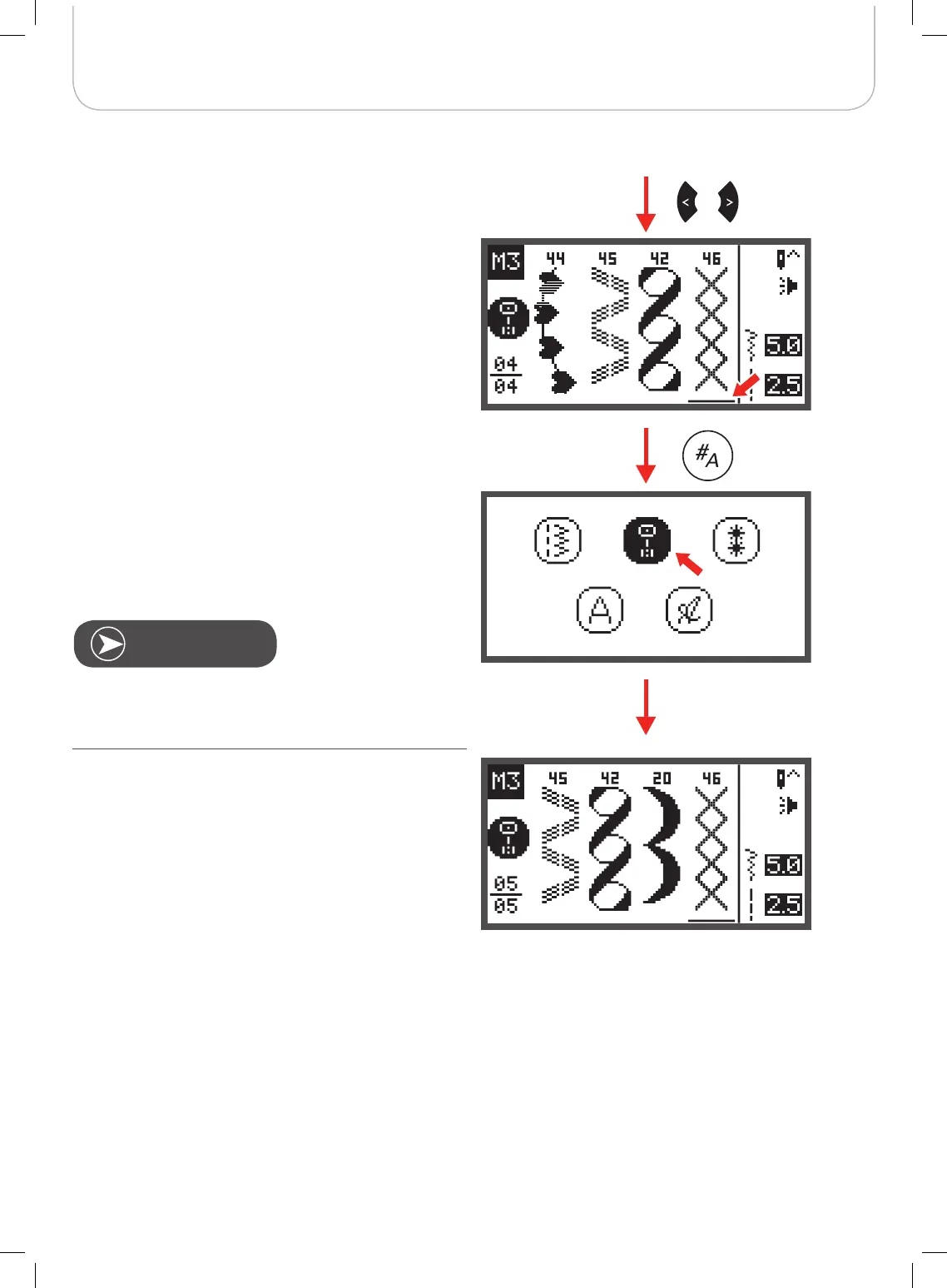
• Use the arrow buttons to move the cursor to the posi-
tion where you want to insert a new stitch.
• Press the pattern group selection button to enter the
pattern group selection browser and choose a new
stitch.
The parameters of the selected stitch, such as stich length,
stitch width, mirror image,
and elongation can
be altered by pressing the respective button.
twin needle



 To Next Page