30
Display Explanation & Operating Functions
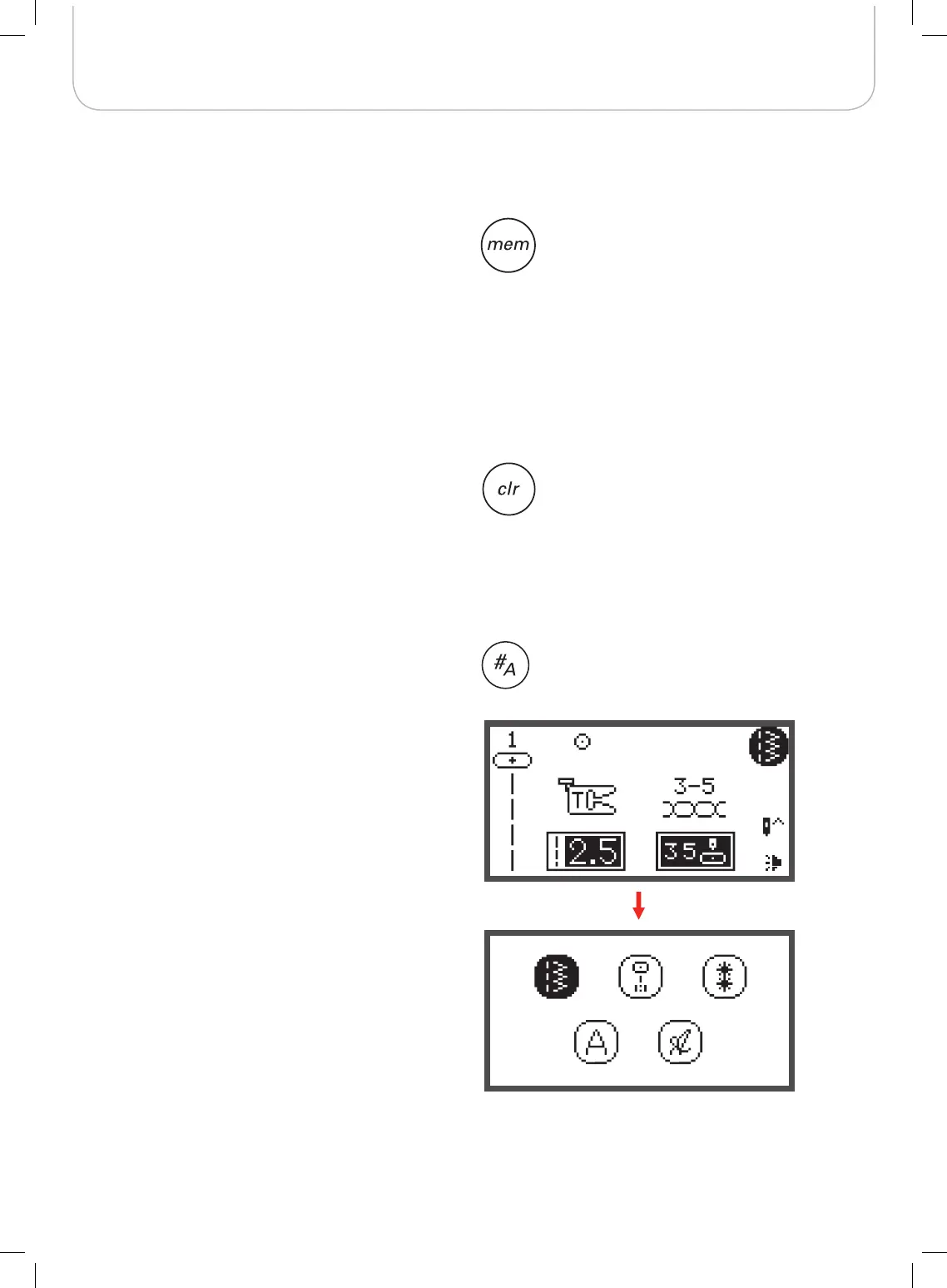
Pattern group selection
The LCD display shows the Direct Group Patterns when you
turn on the machine.
• Press the pattern group selection button, the LCD dis-
play enters the pattern group selection display auto-
matically. Use the arrow buttons to select the desired
group of stitches.
– Direct Group Patterns
– A Group Patterns
– B Group Patterns
– C1 Group Patterns: Block Style Alphabet
– C2 Group Patterns: Script Style Alphabet
Memory
• Press the memory button to enter the Memory Mode
and program the combinations of characters or deco-
rative stitches.
– The Direct Group Patterns and the A Group pat-
terns 86-99 can’t be programed.
Clear/Return button
• If an incorrect pattern or memory file is selected, press
this button to clear it or to return to the previous dis-
play.



 To Next Page