71
Special Functions
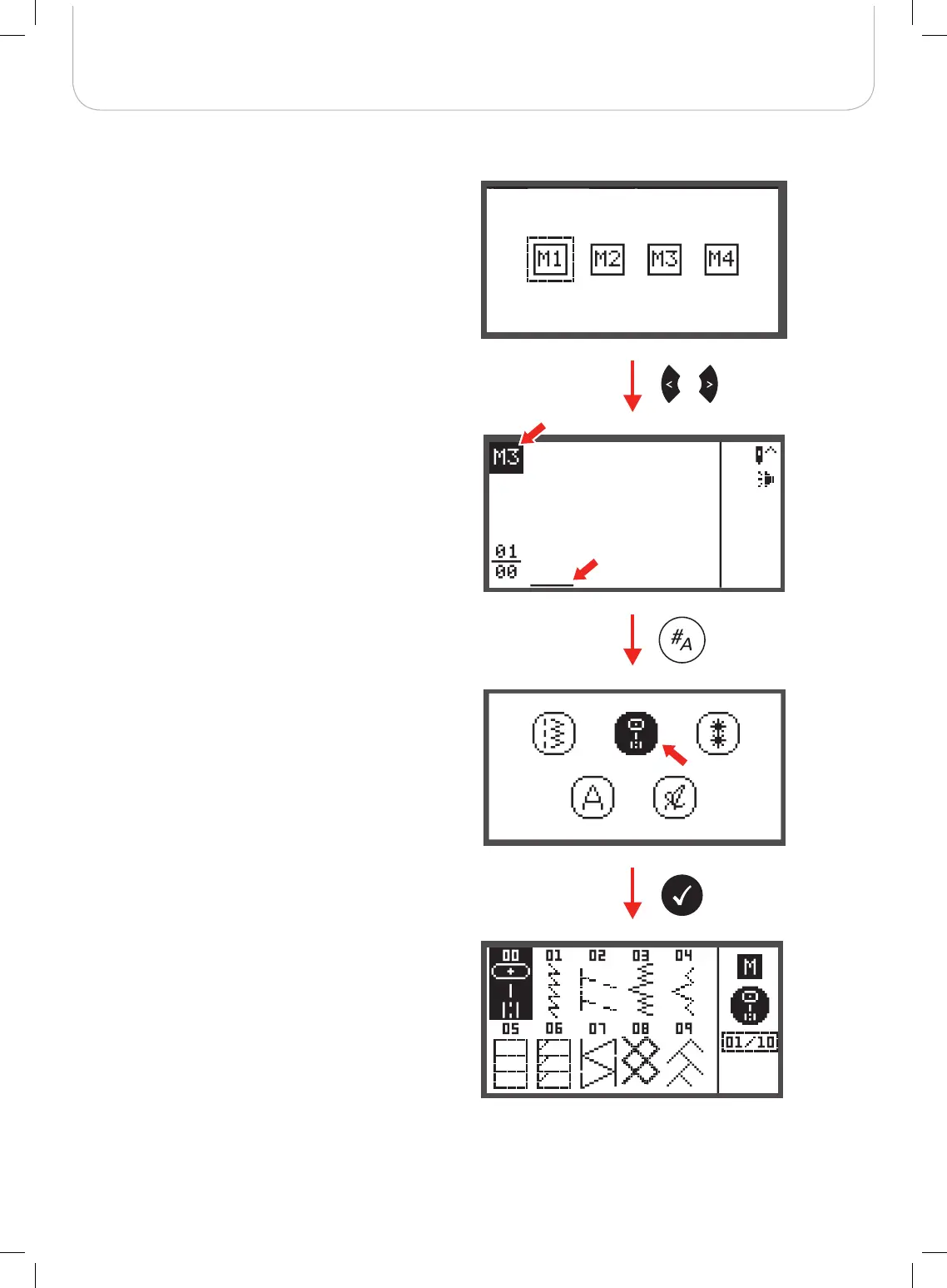
• Press the OK button to enter the selected Memory
Module. The cursor is at first memory position for the
first pattern to be programmed.
The upper left corner of LCD display shows the number of the
Memory file.
• Press the pattern group selection button to enter the
pattern group selection display.
• Select the desired pattern group. (E.g. for A Group Pat-
terns)
• Press the OK button to enter the pattern browser and
the various stitches in the selected pattern group
appear.



 To Next Page