128
Overview Display
█
touch «Hoop size»-icon
With some functions the instruction to use the knobs appears.
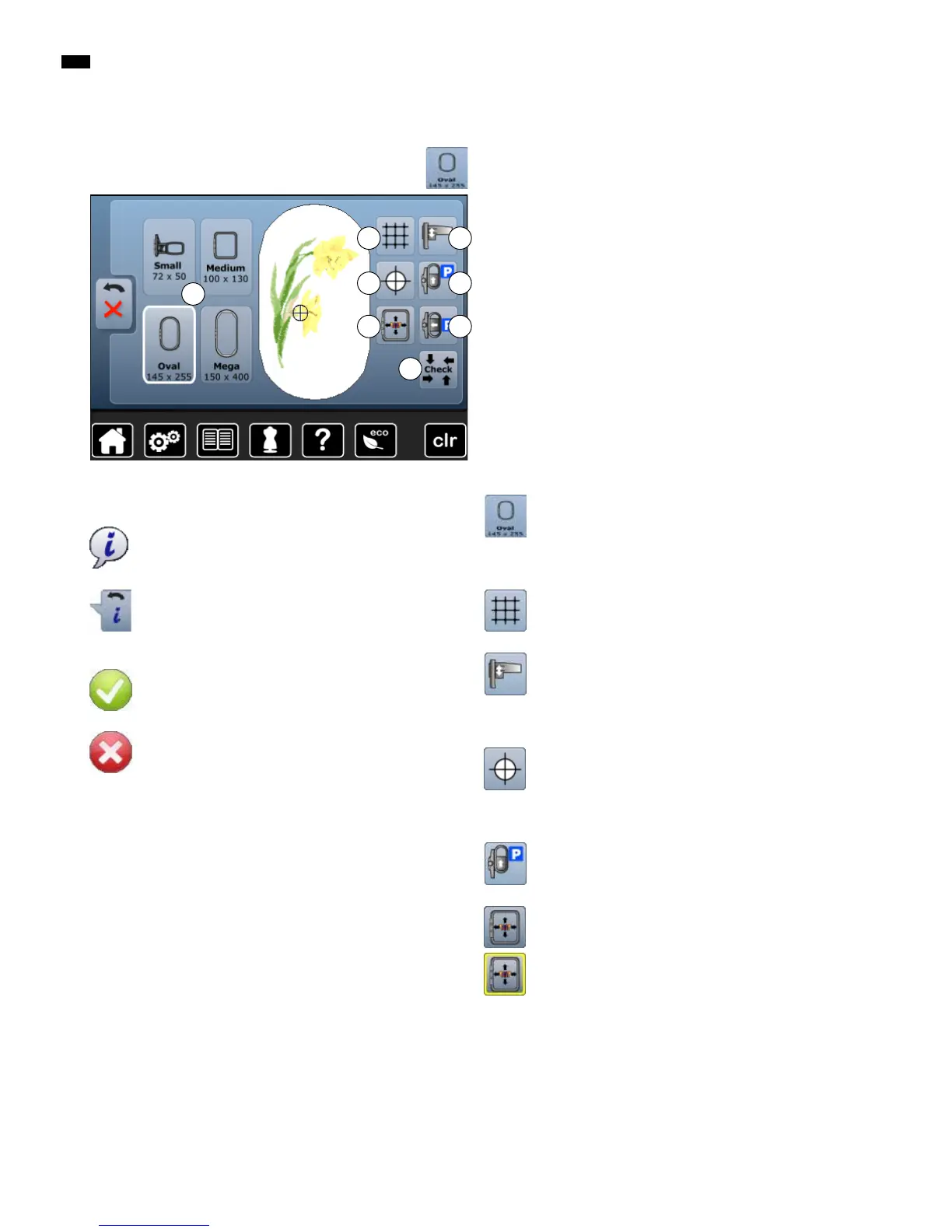
Functions
A Select Hoop Menu
B Grid
C Calibrating the embroidery module
D Motif center
E Move hoop to back
F Virtual positioning
G Parking the module
H Check hoop and motif size
Select hoop menu
►
the optimal hoop for the motif selected is displayed
█
touch the button
►
the Display with the Select Hoop and further
functions appear
Grid
Grid appears to position the embroidery motif
accurately.
Calibrating the embroidery module
█
touch the button
►
the module is calibrated (reads the reference
points)
No embroidery hoop must be attached!
Motif center
The exact motif center is indicated by the cursor.
The embroidery hoop is moved until the needle is
positioned exactly in the center of the embroidery motif
when the function «Virtual positioning» is activated.
Move hoop to back
►
the hoop moves vertically to the far back
Better access for changing the bobbin.
Virtual Positioning
Icon is inactive = if the motif is repositioned, the hoop
does not move.
█
touch the button
If the motif is repositioned, the hoop simultaneously
moves along with it to the new position.
B
E
H
C
D
F G
A
Information
█
touch the button
►
another Display is opened
Back
█
touch the button
►
goes back to the previous Display
►
any alterations are accepted
Confirm Selection
█
touch the button
Alteration/Selection is activated or confirmed.
Leaving active Display
█
touch the button
►
the Display is closed
►
the previous Display appears
General Functions



 To Next Page