132
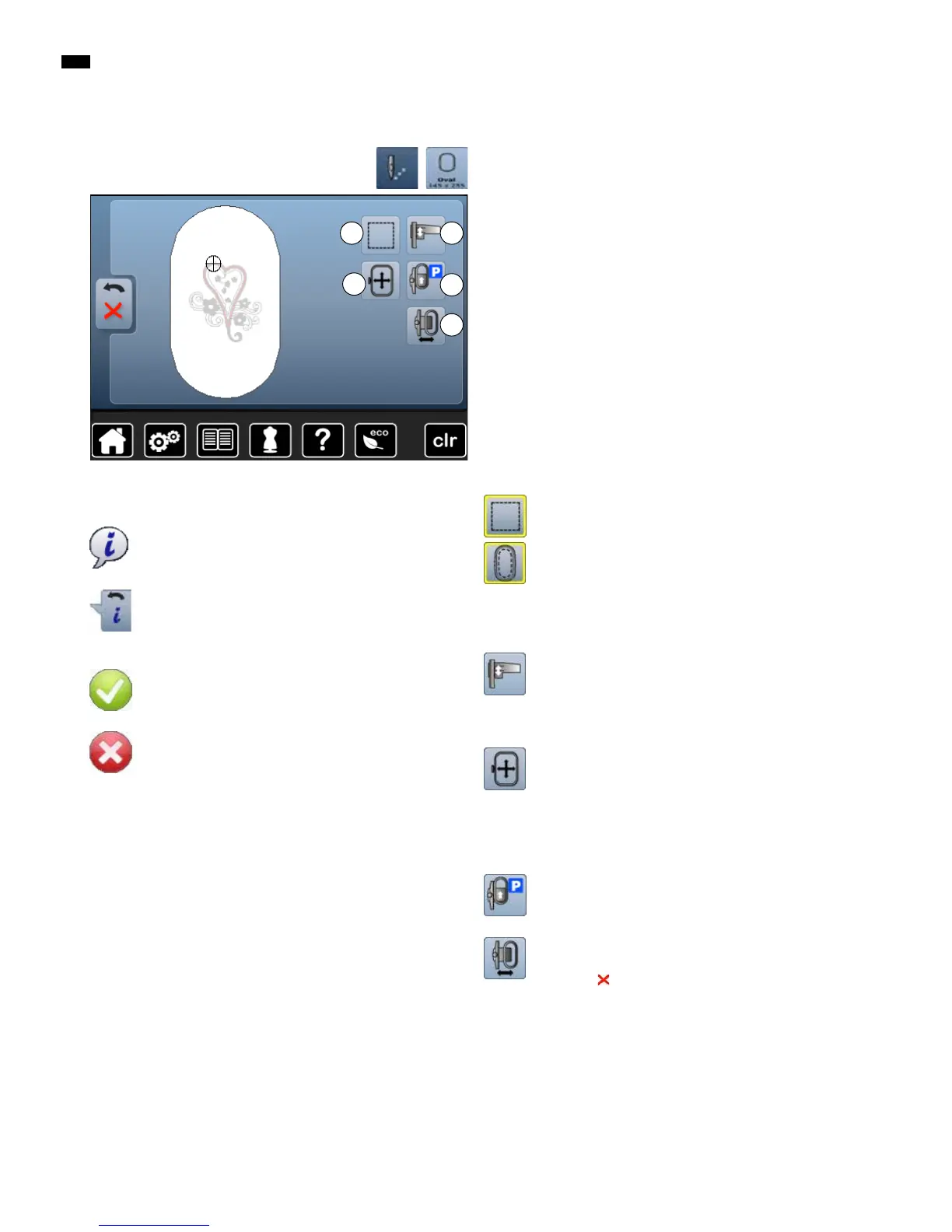
Overview Display
With some functions the instruction to use the knobs appears.
Functions
A Basting Box
B Calibrating the embroidery module
C Moving hoop by using the knobs
D Moving Hoop to Back
E Embroidery hoop movement
Basting Box
█
touch the button
►
the embroidery motif is outlined with a straight stitch
█
touch icon again, the symbol changes
►
the basting is now done along the hoop
█
touch the icon again
►
Basting box function is switched off
The function will remain active even after selection of a
new motif.
Calibrating the embroidery module
█
touch the button
►
the module is calibrated (reads the reference
points)
No embroidery hoop must be attached!
Moving the hoop
If the fabric has to be re-hooped when stitching a large
embroidery motif (e.g. lettering, borders etc.), the hoop
has to be moved to the last stitch of the already
embroidered part with the stitch width and stitch length
knob.
►
the movement is displayed in the icons
Move hoop to back
►
the hoop moves vertically to the far back
Better access for changing the bobbin.
Embroidery hoop movement
►
the hoop moves horizontally to the center
█
touch
█
press «Start/Stop»-button
►
the hoop moves back to the previous position
B
D
E
A
Information
█
touch the button
►
another Display is opened
Back
█
touch the button
►
Back to the previous Display
►
any alterations are accepted
Confirm Selection
█
touch the button
Alteration/Selection is activated or confirmed.
Leaving the active Display
█
touch the button
►
the Display is closed
►
the previous Display appears
General Functions
C



 To Next Page